The pandemic has changed the way organizations operate and many workers will continue to work from home once their coworkers began returning to the office which is why Nvidia has released a new version of its virtual GPU software, vGPU.
The latest version of vGPU adds support for more workloads and also includes features that improve operational efficiencies for IT admins.
GPU virtualization providers workers from designers to data scientists with a flexible way to collaborate on projects which require advanced graphics and computing power without the need for their organizations to outfit everyone with their own workstation.
The market intelligence firm IDC recently interviewed Nvidia customers using GPU-accelerated virtual desktops and found that organizations with 500 to 1,000 users experienced a 13 percent increase in productivity.
Nvidia vGPU
Nvidia has expanded hypervisor support by partnering with SUSE on its Linux Enterprise Server and vGPU support is now available on its kernel-based virtual machine platform.
Nvidia vComputeServer software will support initial offerings and enable GPU virtualization for AI and data science workloads. This will help expand hypervisor platform options for enterprises as well as cloud service providers that are seeing an increased need to support GPUs.
Collaboration in VR is also getting a boost as Nvidia CloudXR technology uses Nvidia RTX and vGPU software to deliver VR and augmented reality across both 5G and Wi-Fi networks. The latest version of vGPU adds 120Hz vSync support at resolutions up to 4K and this gives CloudXR users an even smoother immersive experience on untethered devices.
At the same time, vGPU will also enable improved collaboration in computer-aided design while also providing real-time photorealistic renderings of models in the recently released Omniverse AEC Experience which combines the real-time collaboration platform Omniverse with RTX Server and Nvidia Quadro Virtual Workstation software for the data center.
By using vGPU, organizations can provide their employees with the advanced graphics and computing power they need to do their jobs from anywhere whether that be at home or in the office.
The best routers 2020 has to offer are a huge step up from whatever internet providers are putting in your home. They deliver a quality connection that’s reliable and fast. And they do more than just adding the best Wi-Fi extenders – without already having a quality router – can to upgrade your network. You’ll get that quality connection with quality coverage in your home.
There’s more to the best routers of 2020 than just solid coverage. They come with a number of bells and whistles that can really help certain types of users, whether it’s boosting the bandwidth that certain apps get, like online games, or providing extra security for its network. Some even have multiple ports so that plenty of devices can be active without interrupting your download of the best PC games.
It doesn’t matter if you’re 6 hours into the best Netflix shows or taking on hordes of teenagers in an online game, don’t let a lousy router get in your way. Whether it’s something geared towards gamers or those wanting to see what all the fuss is about mesh routers, we’ve rounded up the best routers of 2020 has to offer to help you find the best router for you.
Google Nest Wifi takes the Google Wifi and gives it the capabilities of Google Home.(Image credit: Google)
1. Google Nest Wifi
Google Wifi and Home together at long last
Speed: 802.11a/b/g/n/ac 2.4 GHz/5 GHz simultaneous dual-band | Connectivity: Dual Gigabit Ethernet ports | Features: Advanced security chip, Nest Wifi point with Google Assistant, privacy control
Excellent design
Smart speaker(s) included
Even simpler controls
No major performance gains
Not worth replacing existing mesh
Google kicks things up a notch in its Google Wifi line with its latest installment. Don’t get us wrong; the original Google Wifi is still among the best wireless routers today. However, if you’re all about the smart home life, then you’ll appreciate the pure genius of Google Nest Wifi. This wireless router takes the Google Wifi, gives it the capabilities of Google Home and wraps it all up in an even sleeker and more appealing package. It’s a mesh router and a smart speaker in one, all with the simplicity that Google Wifi is known for.
Google Wifi is proof that the mesh revolution is coming.(Image credit: Google)
2. Google Wifi
The future of wireless networking gets affordable
Speed: 802.11ac 5GHz down: 101.41 Mbps, 2.4GHz down: 47.53 Mbps | Connectivity: 2 x Gigabit Ethernet ports per Wifi point (1 WAN and 1 LAN port each) | Features: AC1200 2 x 2 Wave 2 Wi-Fi, TX beamforming, Bluetooth Smart ready
Super simple setup
Great value
Limited hardware control
Lower AC rating
The days of traditional wireless routers are coming to an end; the age of the wireless mesh routers is here. Google Wi-Fi, alone, is proof that the mesh revolution is upon us, which means that you might be saying goodbye to the days when the only way to have wireless bliss was to install a number of wireless extenders. The idea of Google Wi-Fi is simple: purchase a set of points, put them in strategic places around the house and then scan a QR code. And, just like that, you’re connected anywhere you are in your home. It’s no surprise that this wireless mesh router claims the loftiest spot on our best wireless routers list of 2019, as it’s also the one that’s most effortless to set up and get going.
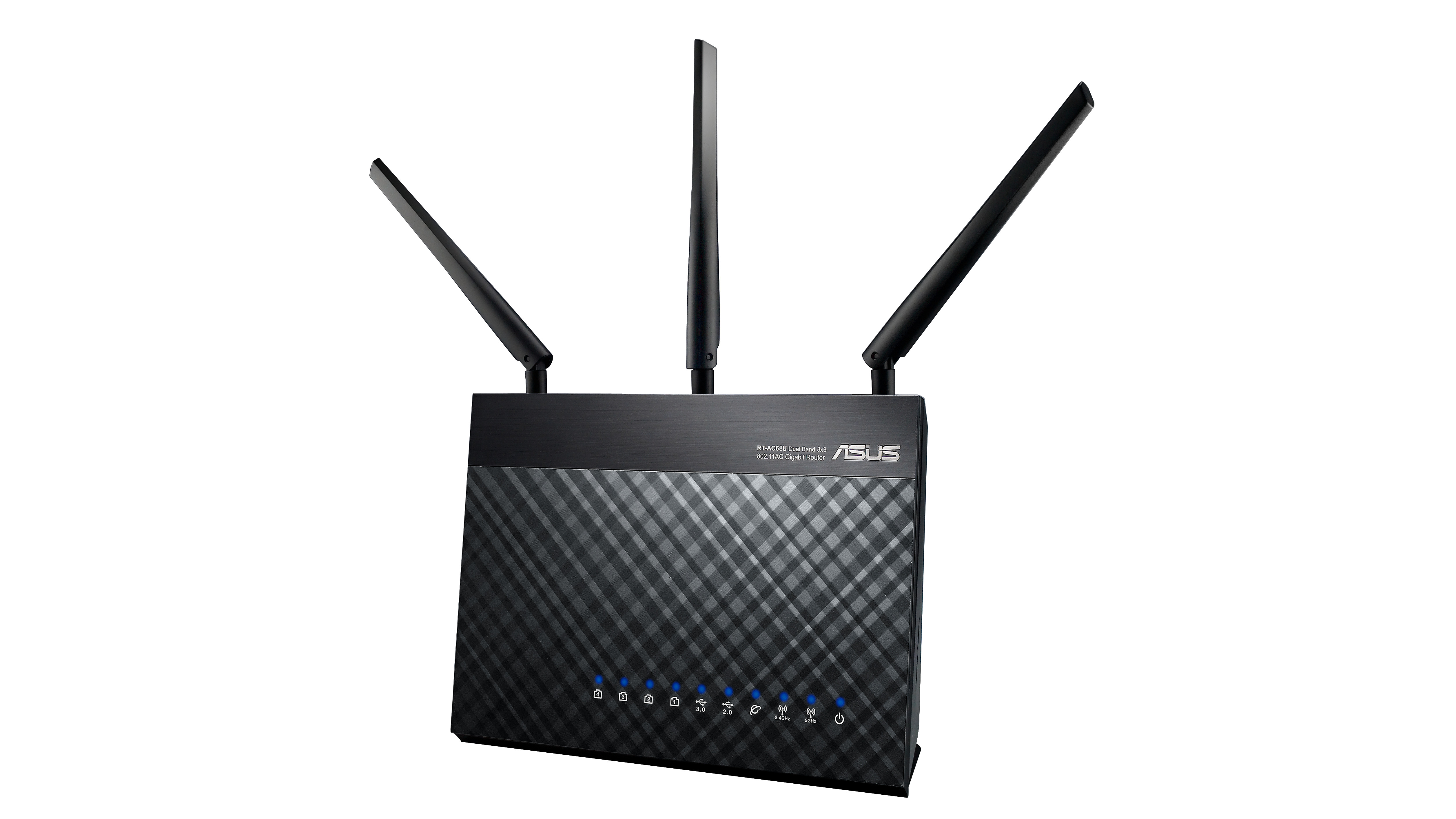
Asus RT-AC86U easily outclasses practically all the wireless routers on the market.(Image credit: Asus)
3. Asus RT-AC86U
Performance as loud as the design
Speed: 802.11ac 1734 Mbps down | Connectivity: 4 x Gigabit LAN, Gigabit Wan, USB 2.0, USB 3.0 | Features: MU-MIMO, Traffic Analyzer, Adaptive QoS, WTFast Gamers Private Network
Extensive firmware
Great speed and coverage
Complex firmware
Divisive looks
If you’re well-acquainted with Asus, especially its gaming computers, then you likely have a general idea of what the Asus RT-AC86U brings to the table. This wireless router may look like the lovechild of Doritos and Mountain Dew, if they spent a night together in a router making machine. But, inside that kitschy gaming aesthetic is a wireless router that, for its price, effortlessly outclasses almost all of its rivals on the market. Even better, you’re also not paying a premium for a gaming device, so if you’re looking for a high-speed connection with an affordable price tag, the Asus RT-AC86U should be at the top of your list.
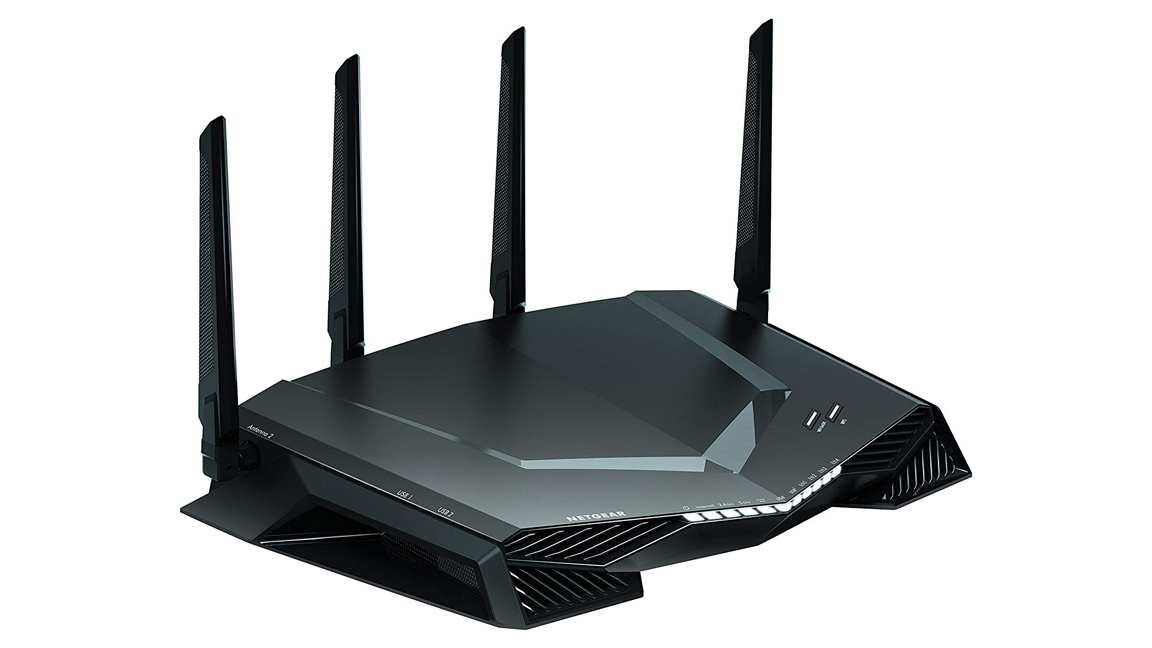
Netgear Nighthawk Pro Gaming XR500 is supercharged for your online gaming needs.(Image credit: Netgear)
4. Netgear Nighthawk Pro Gaming XR500
A fantastic gaming router
Speed: 802.11ac 1.7GHz dual-core processor | Connectivity: 5 Gigabit Ethernet ports (4 LAN + 1 WAN) | Features: Two WiFi bands simultaneously, 4 external antennas, 15 more channels in 5GHz
Super-fast
Amazing DumaOS software
Not fazed by tricky architectural conditions
No broadband modem
Pricey
Unhelpful documentation
The Netgear Nighthawk Pro Gaming XR500 might be pricey and lacks a broadband modem. However, this is still a router that delivers, especially on getting those pings down. Designed for homes with gamers in-house, it’s supercharged for your online gaming needs, keeping those high “ping” and latency rates down to deliver an excellent connection whether you’re playing Call of Duty or PUBG. If you’re willing to pay a pretty penny – and if you’re a serious gamer, you should be – this is one of the best wireless routers to consider.
This product is only available in the US and UK at the time of this writing. Australian readers: check out a fine alternative in the Google Wifi.
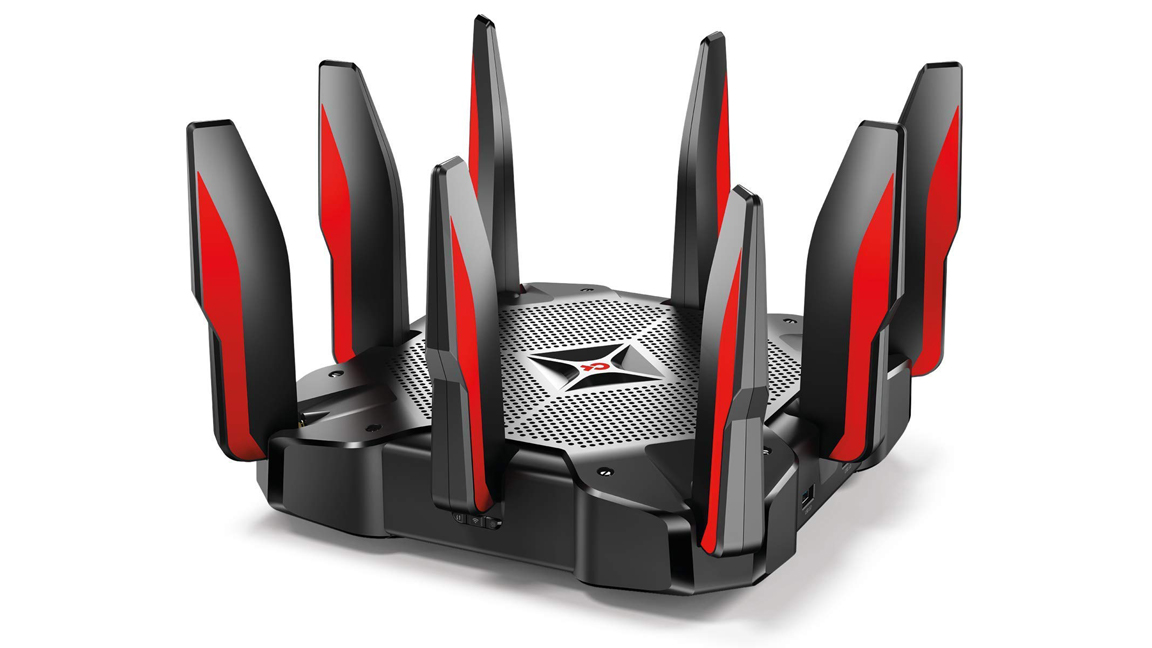
TP-Link Archer C5400 v2 can bridge consumer and enterprise users by offering high-end functionality at a reasonable price point.(Image credit: TP-Link)
5. TP-Link Archer C5400 v2
Weird looks, great performance
Speed: 802.11ac 5GHz down: up to 2,167 Mbps, 2.4GHz down: up to 1,000 Mbps | Connectivity: 4 x LAN, WAN, USB 3.0, USB 2.0 | Features: MU-MIMO, Tri-band Wi-Fi, 8 external antennas, Alexa voice control
Fast and powerful
Alexa and IFTTT support
Expensive
Are you in the market for one of the best wireless routers of 2019 and don’t mind a quirky design. If a ‘90s-inspired sci-fi design sounds like it will fit right in your home, then the TP-Link Archer C5400 v2 might be the best wireless router for you. It’s not exactly the most modern-looking mesh router out there, but it’s unique in that it can bridge consumer and enterprise users by offering high-end functionality at a reasonable price point and with a relaxed setup. It’s peculiar looking, yes; however, if you’re scouring the market for a wireless router that can cover a mid-sized home, you can’t go wrong with this.
Netgear Orbi Pro is a modular Wi-Fi mesh router.(Image credit: Netgear)
6. Netgear Orbi Pro
A mesh router for the office
Speed: 802.11AC 3Gbps | Connectivity: Gigabit WAN, 4 x Gigabit LAN | Features: Modular network coverage, modern design, easy setup, traffic separation
Easy to deploy
Fantastic performance
Very expensive
If you need to bring your office’s networking into the modern age with one of the best routers of 2019, then you must seriously consider getting the Netgear Orbi Pro. It’s a modular Wi-Fi mesh router that takes some design and performance inspiration from its business-grade competitors. It’s on the more expensive side. However, if you’re running a business where you cannot afford any lags due to poor Wi-Fi, then it’s absolutely worth every penny.
Netgear Orbi AC2200 RBK23 is an economical alternative for casual users.(Image credit: Netgear)
7. Netgear Orbi AC2200 RBK23
The Netgear Orbi, but smaller now
Speed: 802.11ac 5GHz down: 68.8 Mbps | Connectivity: 2 x Gigabit Ethernet ports per unit | Features: Disney Circle parental controls, Pause WiFi, smartphone setup, Tri-Band networking, modular
Fast
Smaller than the original
Still expensive
When the Netgear Orbi hit the streets, it changed the wireless router scene. Then, in 2019, Netgear released the Netgear Orbi AC2200 RBK23, an economical alternative for casual users who don’t have a grand manor to cover. This makes it a worthy contender for the best wireless routers. Sure, it comes with fewer antennae and ethernet ports than its higher end counterpart. However, it does deliver more than enough to provide very solid network coverage. Plus, the small form factor means that it will have no issues blending in – not that you will feel the need to hide it.
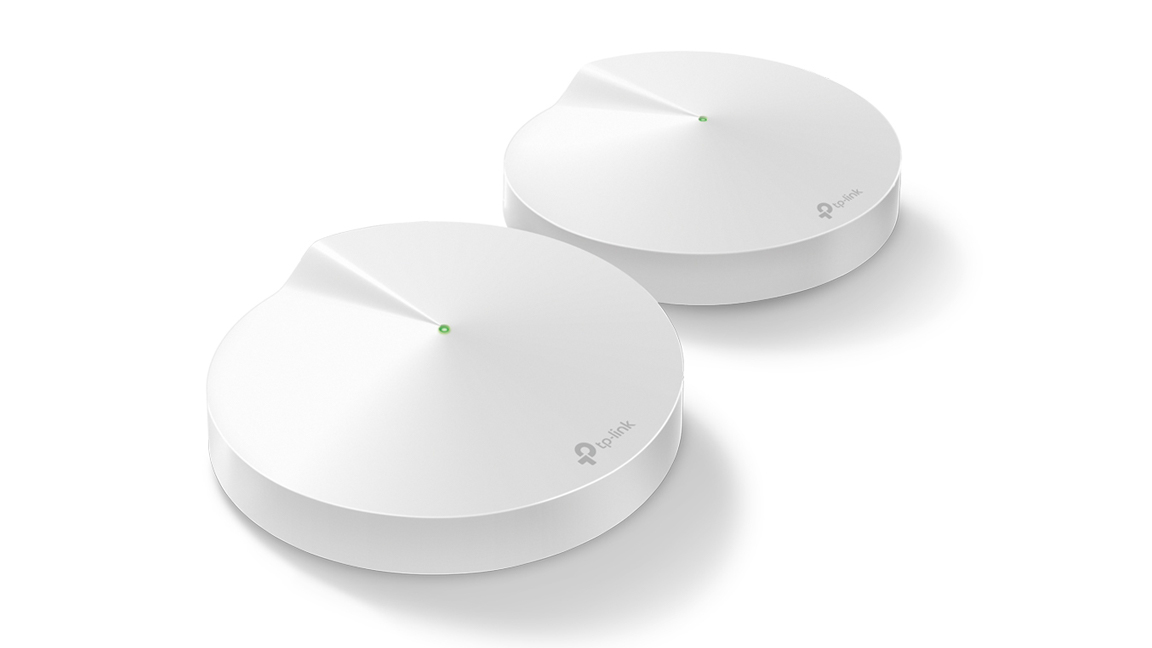
TP-Link Deco M9 incorporates IoT smart home support, alongside industry standard speeds and coverage.(Image credit: TP-Link)
8. TP-Link Deco M9 Plus
A router for the smart home
Speed: 5GHz: up to 867Mbps, 2.4GHz: up to 400Mbps | Connectivity: 2 x Gigabit WAN/LAN, USB 2.0 | Features: Tri-Band connectivity, Dead-zone killer, Built-in smart hub, Built-in Antivirus, QoS, Parental controls
Strong coverage
Easy setup
Pricey
The market is now flooded with wireless mesh routers, but it’s hard to complain when the level of coverage these wireless routers brings tops anything we’ve seen before. With devices like the TP-Link Deco M9, one of the best routers of 2020, we can see how they’re only getting better and better. By incorporating IoT smart home support, alongside industry standard speeds and coverage, the TP-Link Deco M9 is, without question, an excellent choice for a smart home supporter. Fair warning though, this router is a tad expensive. However, you’re also getting all these features and an outstanding performance in exchange.
D-Link Covr C1203 is one of the best wireless routers if you want to upgrade and save at the same time.(Image credit: D-Link)
9. D-Link Covr-C1203
Wireless mesh networking for everyone
Speed: 2.4 GHz: up to 300Mbps; 5GHz: up to 866Mbps | Connectivity: 2 x Gigabit Ethernet LAN per node | Features: MU-MIMO, Parental controls, Smart network control, Smart device setup
Affordable
Great coverage
Not as fast as it could be
Ready to jump on the mesh wireless router bandwagon, but without breaking open that piggy bank? You’re in luck with the affordable D-Link Covr C1203. It’s one of the best wireless routers, if you want to upgrade and save at the same time. It offers comparable coverage to that of the Google Wi-Fi while also being affordable, and it also looks futuristic in a great way. It’s somewhat slower than Google’s legendary router, but it will still be fast enough for the typical user. It’s no surprise that the D-Link Covr C1203 gets our vote as one of the best wireless routers of 2020.
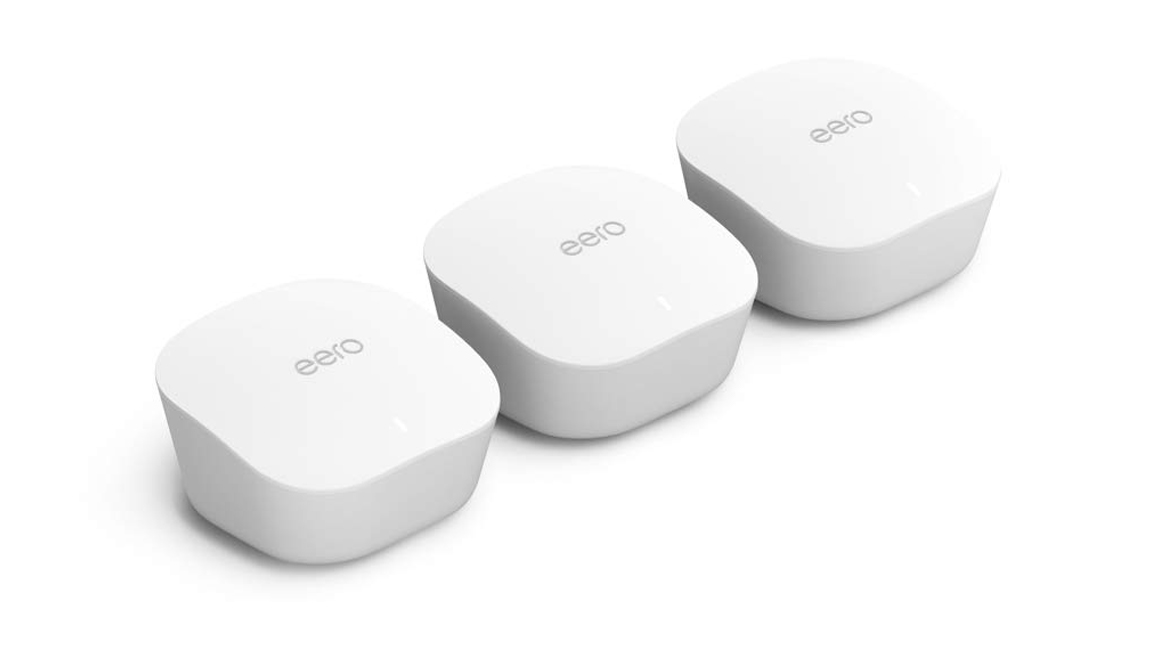
Eero Home Wi-Fi System gives users total control over their network while touting a secure connection through AI.(Image credit: Eero Home)
10. Eero Home Wi-Fi System
Mesh wi-fi for the power user
Speed: 802.11a/b/g/n/ac 2.4GHz, 5.2GHz and 5.8GHz, 802.11a/b/g/n/ac 2.4GHz and 5GHz | Connectivity: 2 x Gigabit WAN/LAN | Features: Modular network coverage, modern design, included security software, dynamic rerouting
Powerful
Blends into the background
Pricer than competition
If you’re in the market for a wireless mesh router that gives you a lot of control over your network, then the Eero Home Wi-Fi system might just be the answer. It has a price more premium than that of your standard router, but it also gives users total control over their network while touting a secure connection through AI. Even better, the Eero Home Wi-Fi System comes with subscriptions to 1Password, MalwareBytes and Encrypt.me VPN, which should keep everyone linked to your network safe and secure.
When you’ve got the best motherboard under the hood, you’re ensuring that your hardware reaches its full potential as it utilizes and optimizes every inch of performance. It’ll even help you overclock better when you’re gaming.
Simply, a motherboard serves as your PC’s foundation. They may not be as sexy as the best graphics cards or processors, but they’re one of the most crucial PC components in building computers. So, when you’re setting out to build the best PC you can muster with your budget, investing in one of the best motherboards is the only way to go. If you cheap out and settle for less, you might end up having to rebuild your entire PC from scratch.
If you’re unfamiliar with the best motherboards out there, use this list as a primer for your next build. Motherboards are available in a broad range of different form factors, the most common of which are ATX and Micro ATX. However, there are plenty of less common form factors including mini ITX and E-ATX. Don’t worry though, most of the best PC cases will support more than one form factor.
Moreover, in our rundown of the best motherboards, we detailed the socket type that each mobo adheres to. The socket, for those not in the know, is the part on the motherboard that the CPU locks into. Typically, newer Intel processors use either LGA 1151 or 2066 while the latest AMD Ryzen architecture is designed for the AM4 chipset.
Best motherboards of 2020 at a glance
Asus ROG Maximus XII HERO - best Intel motherboard
MSI MEG Z490 Godlike - best high-end Intel motherboard
GIGABYTE Z490 Gaming X - best budget Intel motherboard
MSI MPG Z390M Gaming Edge AC - best Intel micro-ATX motherboard
Asus ROG Strix Z390-I Gaming - best Intel mini-ITX motherboard
ASRock X570 Phantom Gaming X - best AMD motherboard
Aorus X570 Master - best high performance AMD motherboard
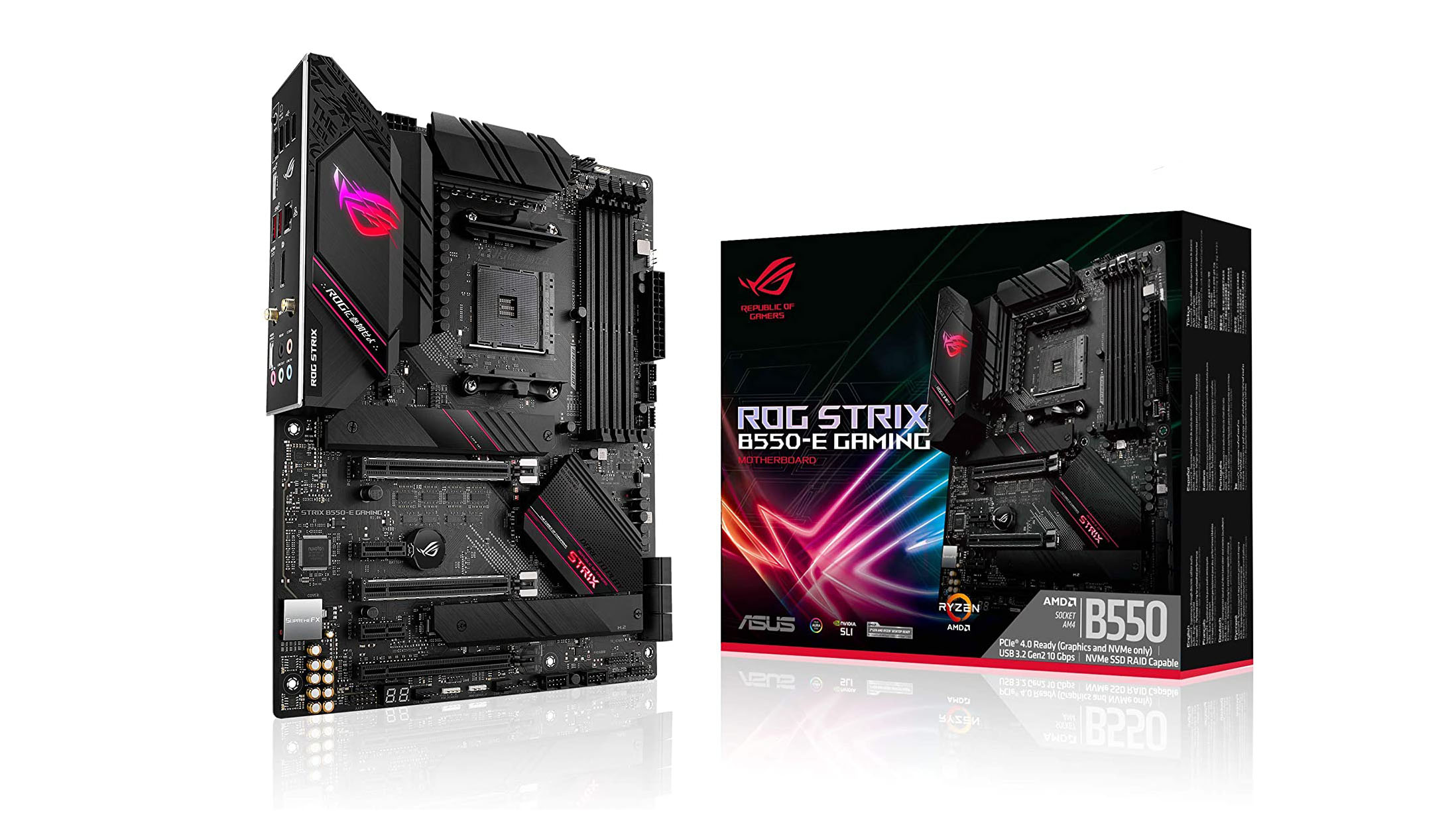
Asus ROG Strix B550-E Gaming - best budget AMD motherboard
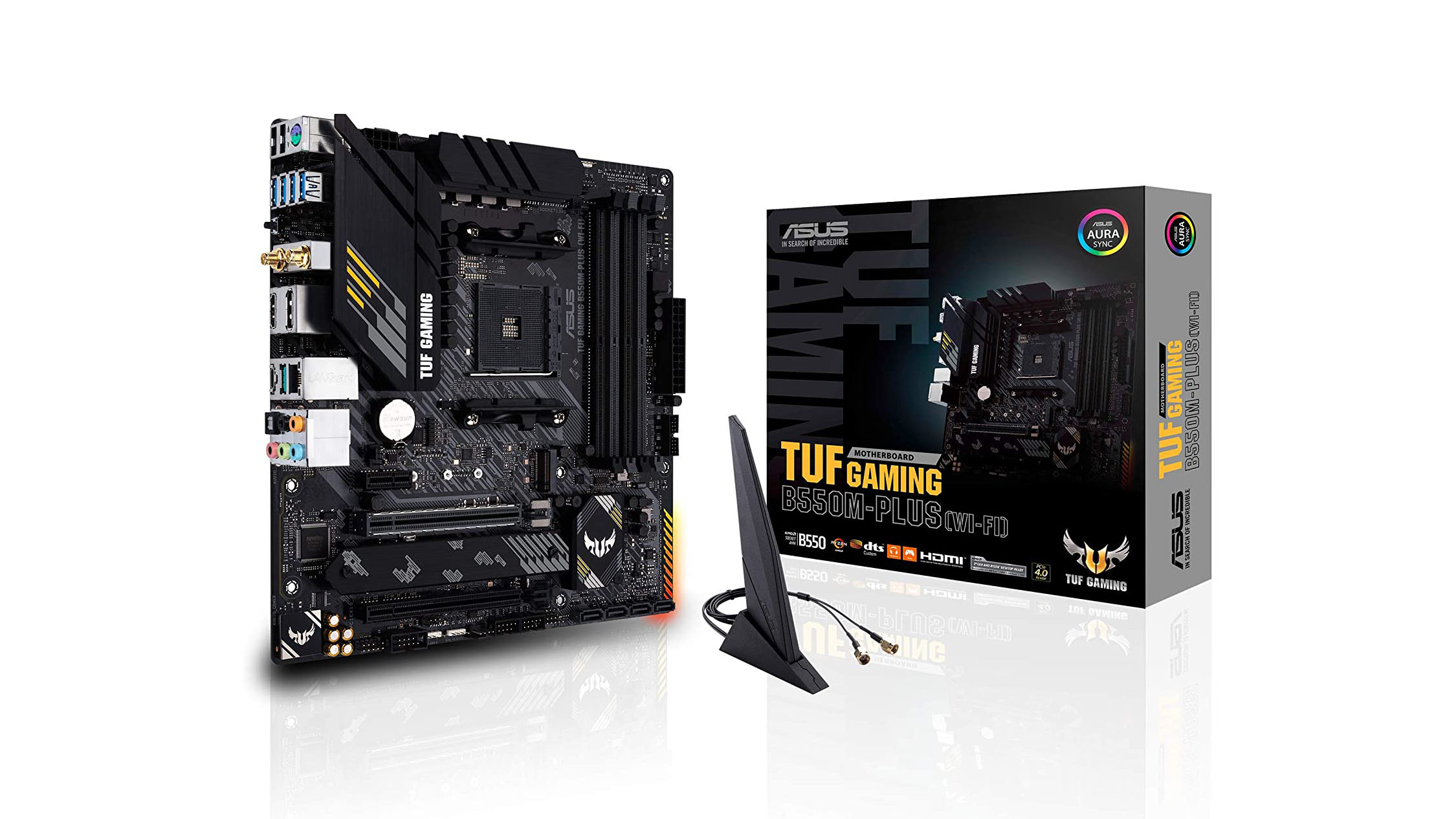
Asus TUF Gaming B550M-PLUS - best AMD micro-ATX motherboard
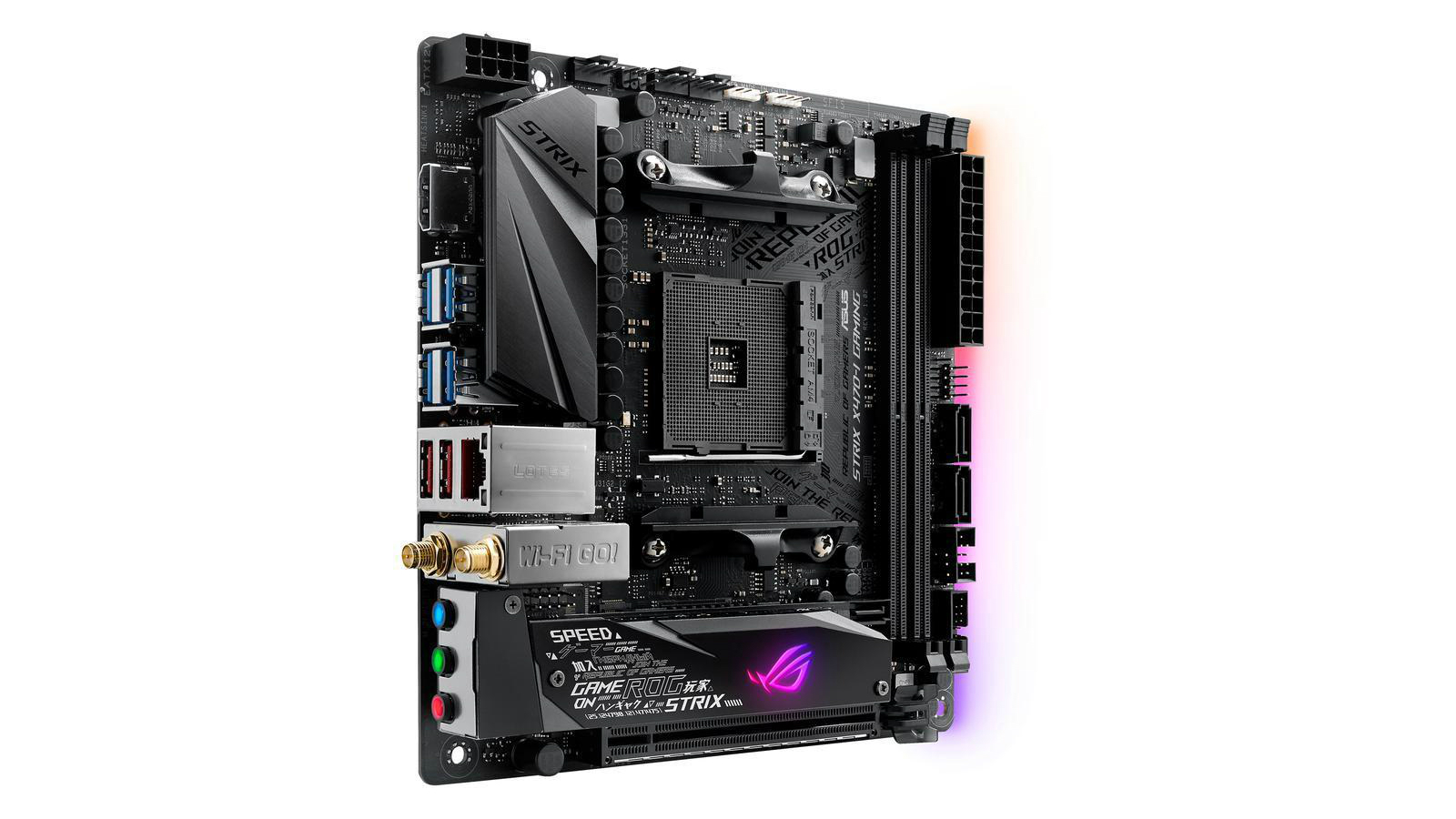
ASUS ROG Strix X470-I - best AMD mini-ITX motherboard
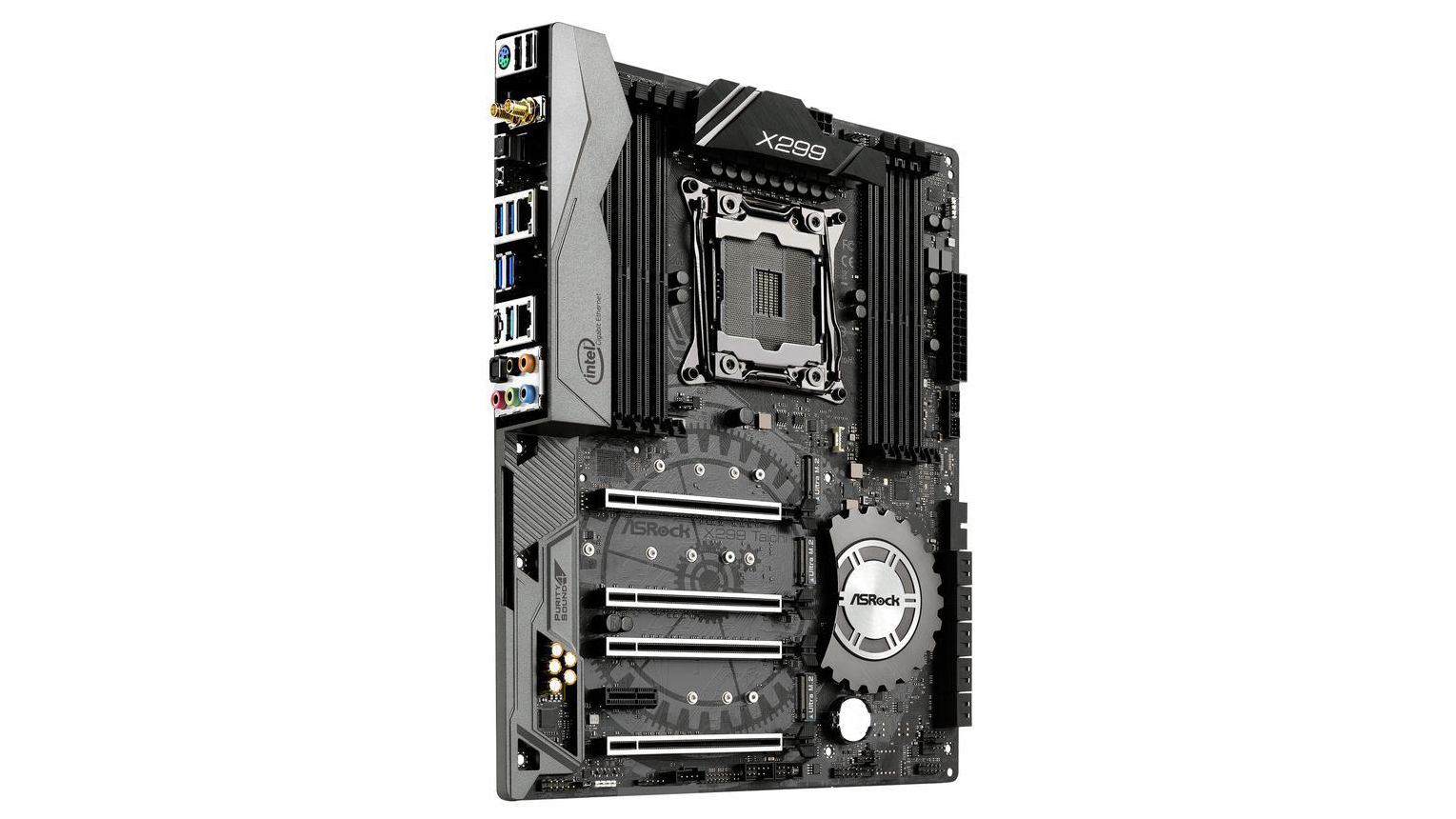
ASRock X299 Taichi - best Intel Core X-series motherboard
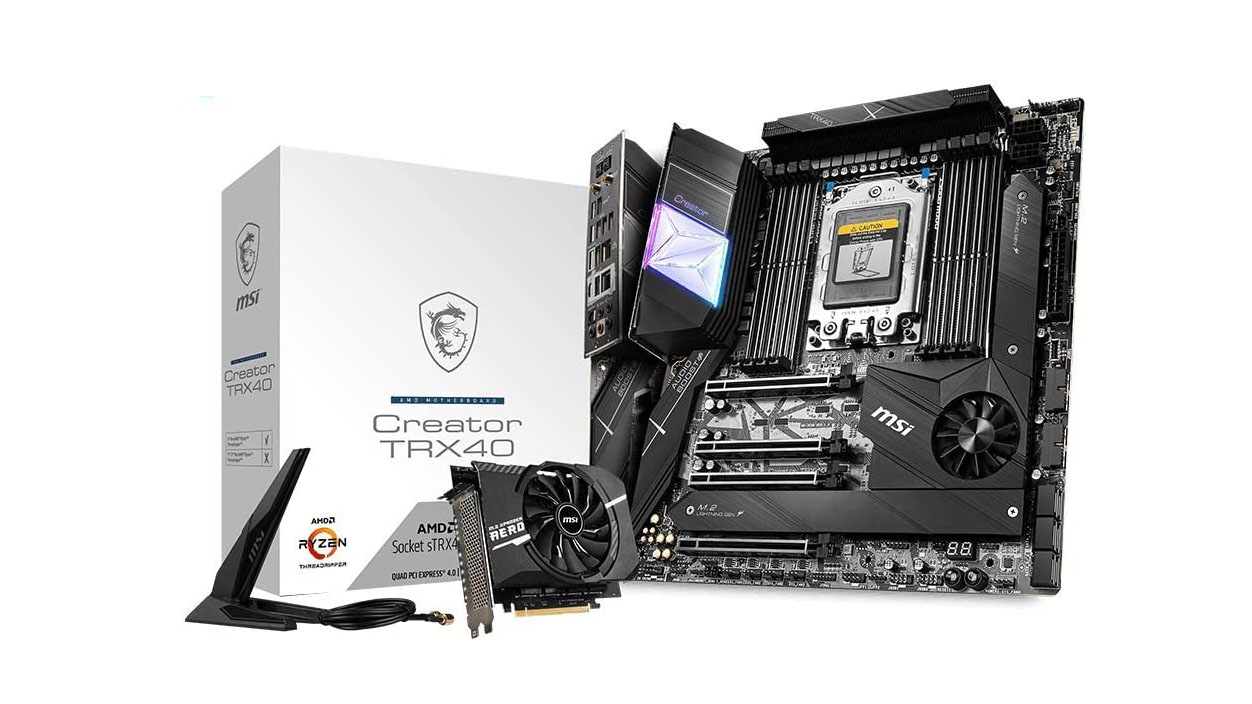
MSI Creator TRX40 - best AMD Ryzen Threadripper motherboard
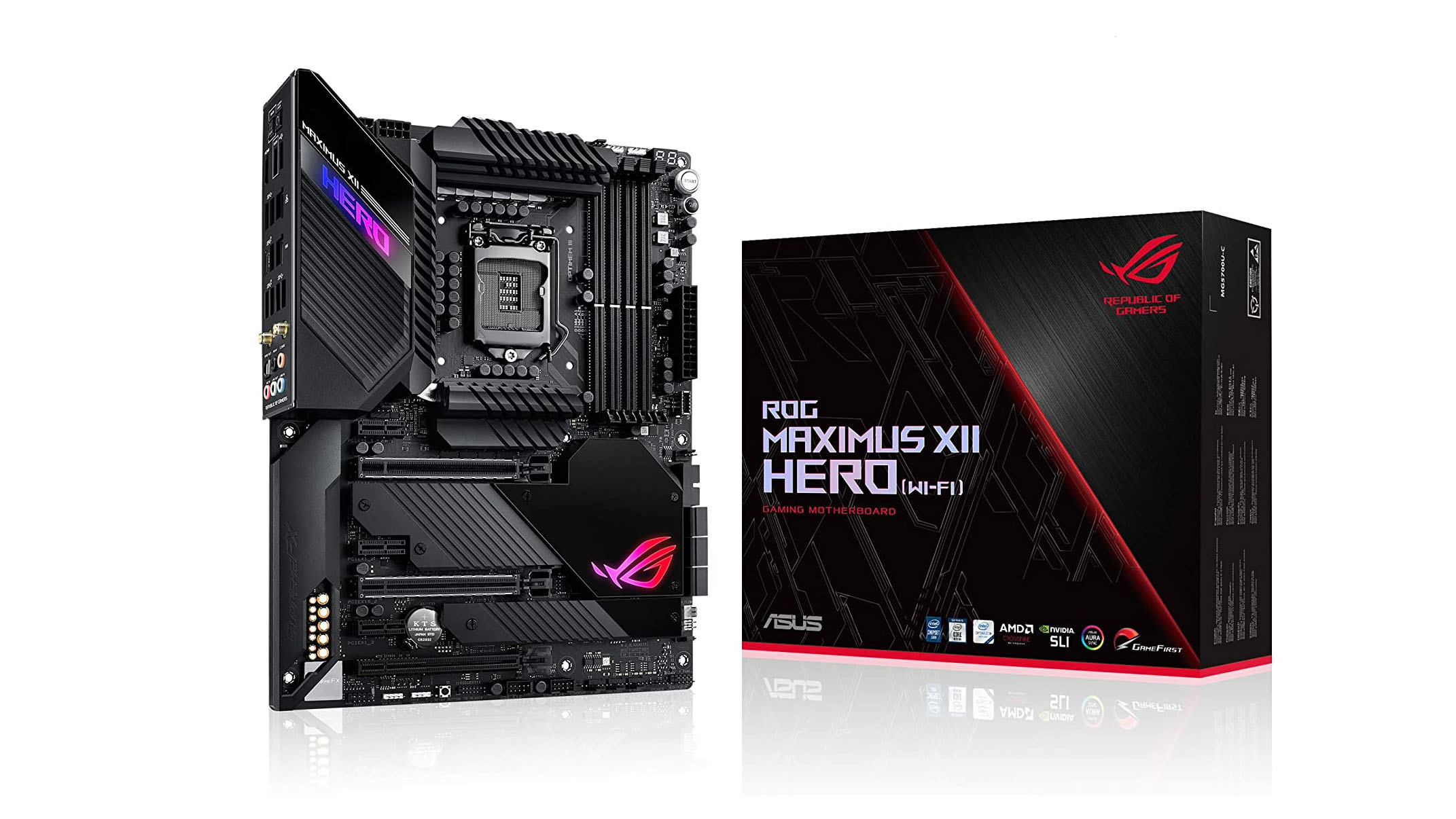
For the best motherboard for the latest Intel chips, you need one that brings plenty of power to the table, as well as intelligent cooling and support for faster memory. That’s why the Asus ROG Maximus XII HERO gets our vote as the best Intel motherboard for 2020. If you’re thinking of upgrading to a 10th-generation Intel Core processor, invest in this motherboard as well. With it, you’re also getting AI overclocking, AI networking with Wi-Fi 6 support and Asus’ Aura Sync illumination.
(Image credit: MSI)
2. MSI MEG Z490 Godlike
Best high-end Intel motherboard
Form Factor: E-ATX | Socket: LGA1200 | Chipset: Intel Z490 | Memory support: 4 x DIMM sockets (up to 128GB) | Multi-GPU support: 2-Way NVIDIA SLI Technology, 3-Way AMD CrossFire Technology | Features: M.2 Xpander-Z Gen4 S, 10G Super LAN + 2.5G LAN, Frozn Heatsink, Double Side M.2 Shield Frozn
Superb build quality
Onboard thunderbolt video output
Easy overclocking in BIOS
Pricey
Uses two 8-pin cpu power connectors
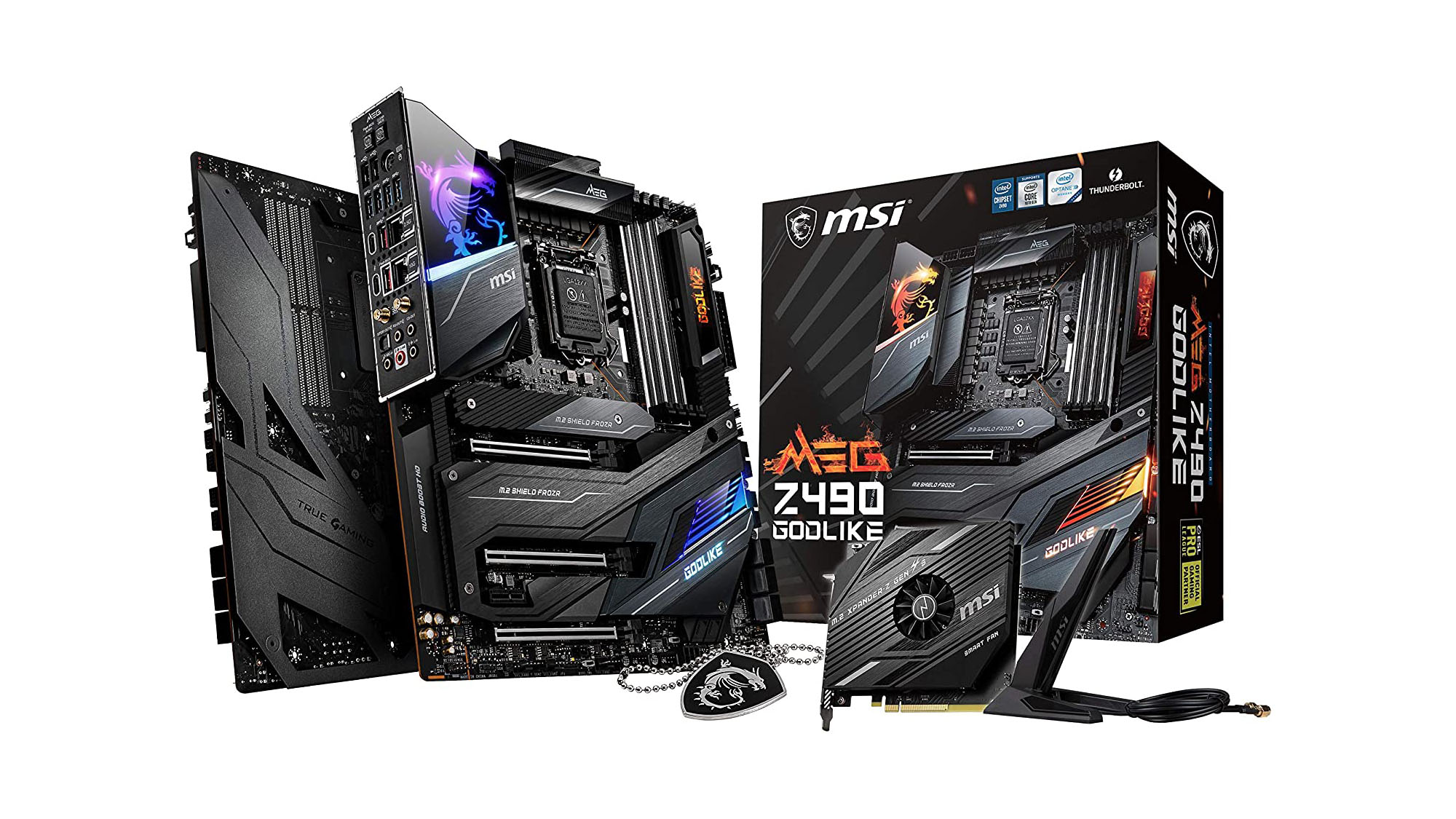
High-end motherboards may cost a fortune, but if you’ve got something like the MSI MEG Z490 Godlike under the hood, you’re pretty much guaranteed top-notch performance, especially if you’ve got Intel components. As long as you’re willing to pay the price. In fact, we’d go as far as to say that this is the best z490 board out there right now, with an excellent thermal solution, staggering overclocking performance, easy installation and diagnostic solutions for do-it-yourself-ers, and a solid build.
(Image credit: GIGABYTE)
3. GIGABYTE Z490 Gaming X
Best budget Intel motherboard
Form Factor: ATX | Socket: LGA1200 | Chipset: Intel Z490 | Memory support: 4 x DIMM sockets (up to 128GB) | Multi-GPU support: AMD Quad-GPU CrossFire and 2-Way AMD CrossFire | Features: Support for APP Center, Q-Flash and Q-Flash Plus support, Xpress Install support
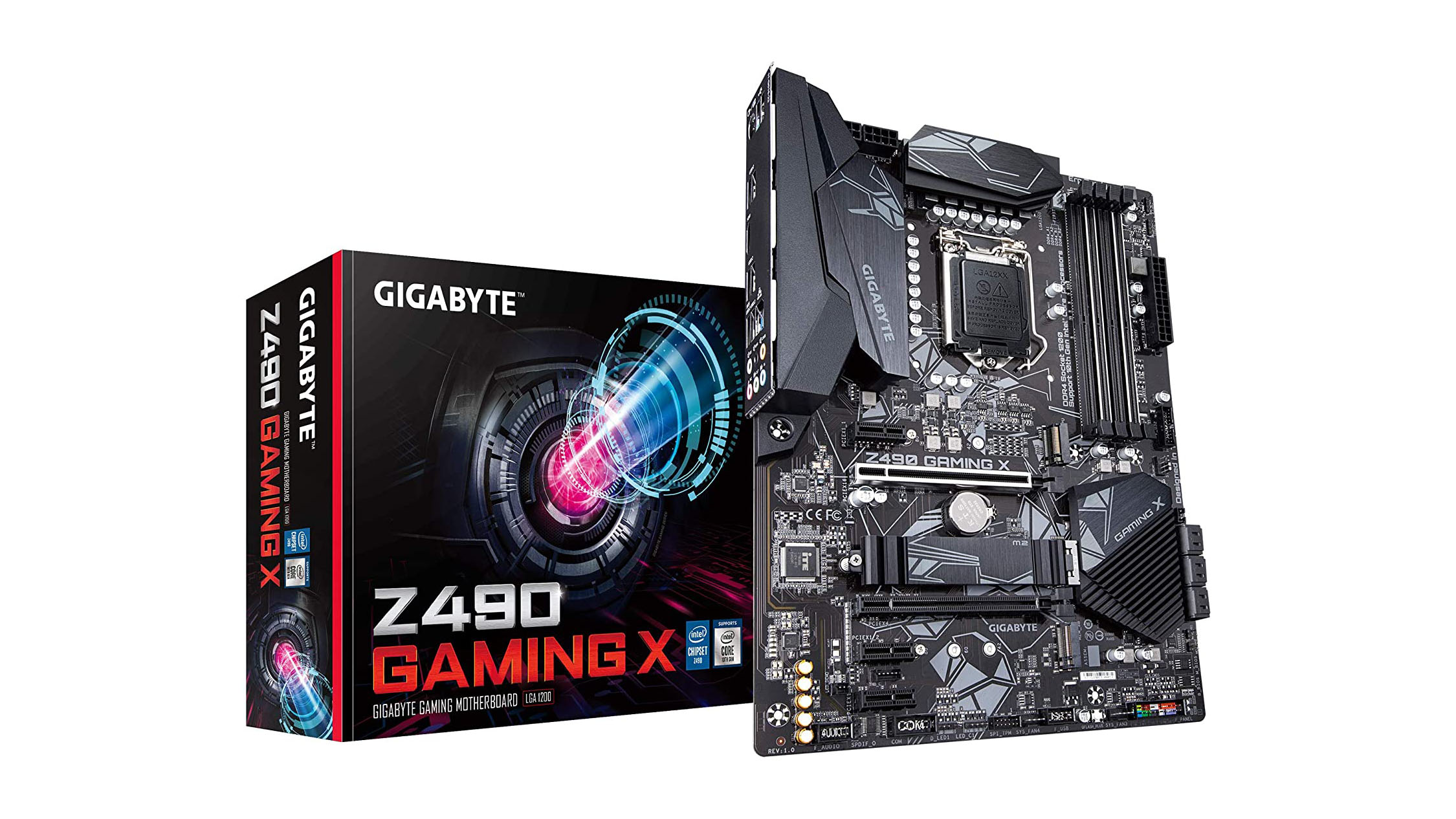
The GIGABYTE Z490 Gaming X may not have any flashy new features to bring to the table, but if you’re an Intel fan who needs a new motherboard in the budget sphere, it’s certainly a great choice. This entry-level motherboard for gamers has a decent feature set for its price tag, including three PCIe 3.0 x4 M.2 slots, six SATA ports and four memory slots with support for DDR4-4600 and up to 128GB, to start. Most importantly, it performs like the best of them without burning a hole in your pocket.
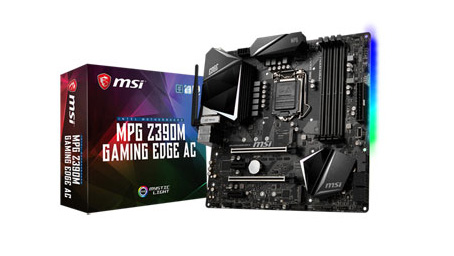
4. MSI MPG Z390M Gaming Edge AC
Best Intel micro-ATX motherboard
Form Factor: Micro-ATX | Socket: LGA-1151 (8th and 9th-gen only) | Chipset: Intel Z390 | Memory support: 2 x DIMM sockets (up to 32GB) | Multi-GPU support: SLI/CrossFire | Features: 2 x PCIe M.2 (Key M), DDR4 boost, PCI-E Steel Armor, Audio Boost 4 with amplifier
Stylish
Feature-packed
Pricey
If you’re looking to get an edge on the competition, but you don’t have a lot of extra space on your desk, you’re going to need a Micro-ATX motherboard – more specifically, the MSI MPG Z390M Gaming Edge AC. What you’re getting here is a Micro-ATX motherboard with all the features a full-sized ATX one offers, but at a fraction of the price. Despite its smaller size, you still get dual M.2 slots, SLI and Crossfire support, and all the fiery performance that Intel Coffee Lake Refresh has to offer. If you’re looking for a smaller motherboard, you can’t afford to pass on the MSI MPG Z390M Gaming Edge MC.
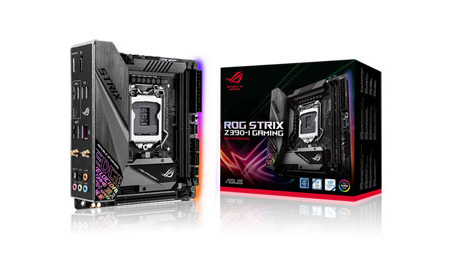
5. Asus ROG Strix Z390-I Gaming
Best Intel mini-ITX motherboard
Form Factor: Mini-ITX | Socket: LGA-1151 (8th and 9th-gen only) | Chipset: Intel Z390 | Memory support: 2 x DIMM sockets (up to 64GB) | Multi-GPU support: N/A | Features: 2 x PCIe M.2 (Key M), Double capacity memory, USB 3.1 Gen 2 front connector, Asus Aura Sync
All the RGB
Tons of memory capacity
Expensive
If you need the smallest possible motherboard available without compromising on key features of your CPU, you should look into the Asus ROG Strix Z390-I Gaming. With this motherboard, you don’t need to compromise on features or power. You don’t even need to settle for a measly 32GB of RAM. Thanks to Asus’ double capacity memory compatibility – you can have up to 64GB of memory in the most miniscule motherboard you’ve ever seen. Unfortunately, like most Z390 boards, its price tag is not for the faint of heart, so prepare yourself to shell out some serious dough if you want the smallest of the best motherboards.
(Image credit: ASRock)
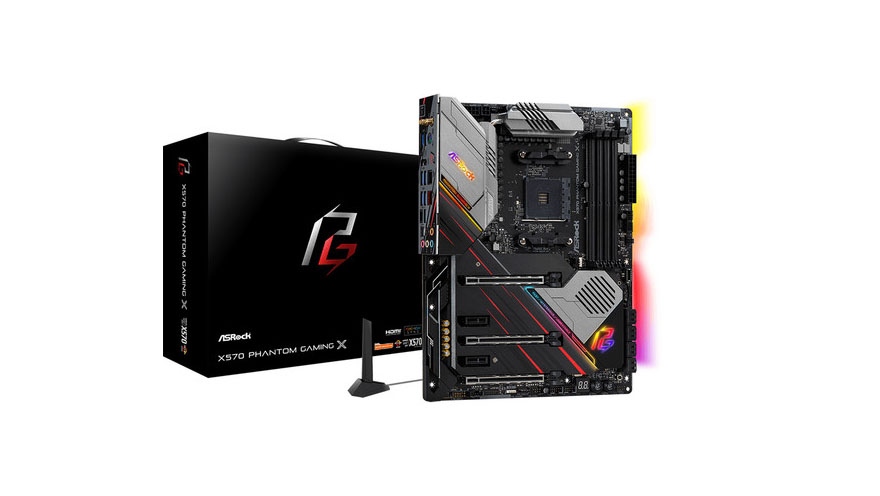
6. ASRock X570 Phantom Gaming X
Best AMD motherboard
Form Factor: ATX | Socket: AMD AM4 | Chipset: AMD Premium X570 | Memory Support: 4 x DIMM sockets (up to 128GB) | Multi-GPU support: NVIDIA NVLink, Quad SLI, AMD 3-Way CrossFireX | Features: ASRock Polychrome SYNC, ASRock Super Alloy, ASRock Phantom Gaming 2.5G LAN
If you’re considering an AMD setup for that PC you’re building, then you cannot go wrong with the ASRock X570 Phantom Gaming X. This is the best motherboard for AMD fans right now, with a top-notch feature set, great design and a highly-effective cooling solution. It’s certainly a favorite among overclockers out there, and with Wi-Fi 6 support to boot. If you have a penchant for tweak and upgrade your internals, there might be some limitations as to what you can do physically. But, other than that, it’s hard to find fault in this board.
(Image credit: Gigabyte)
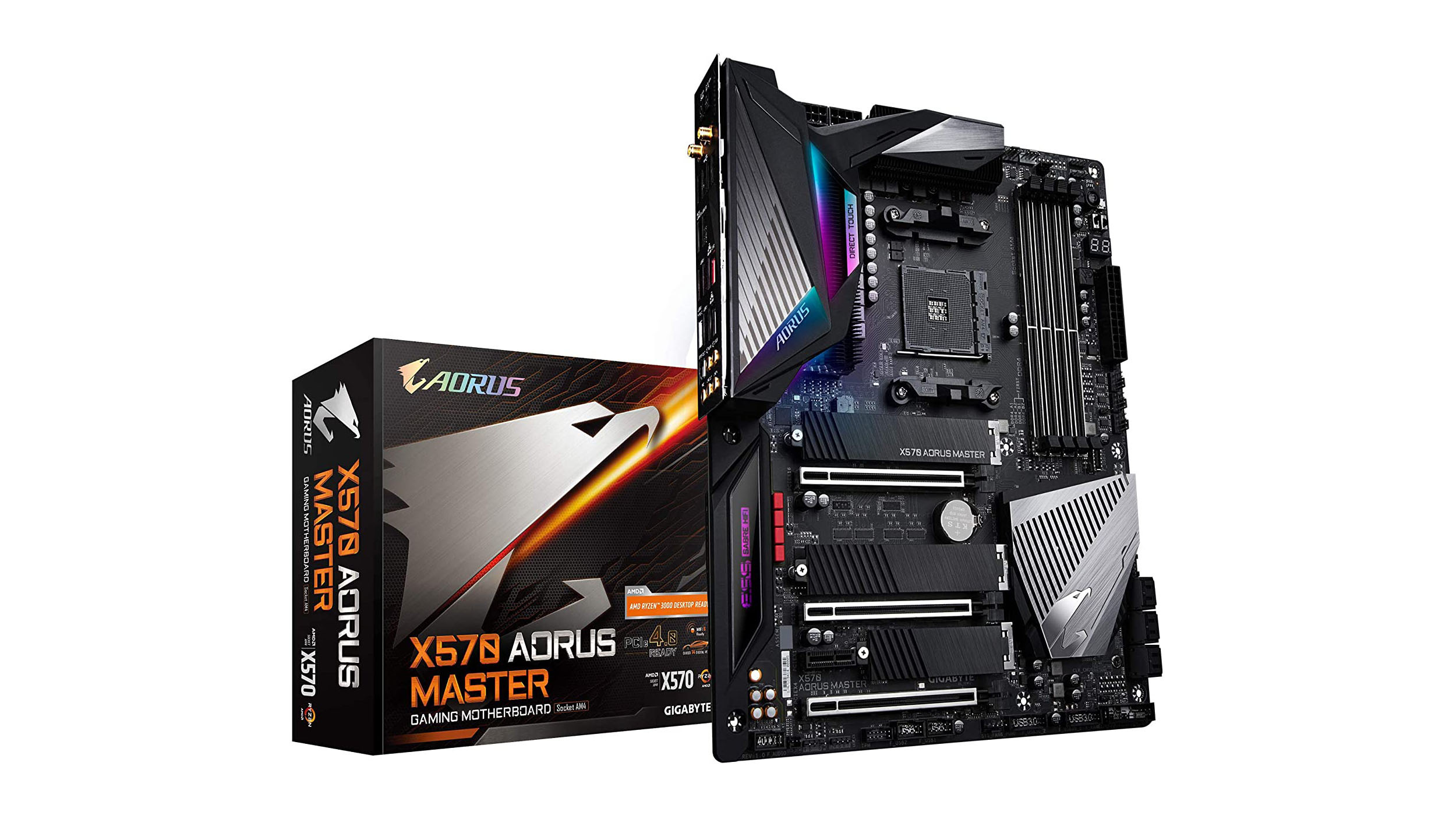
7. Gigabyte Aorus X570 Master
Best high performance AMD motherboard
Form Factor: ATX | Socket: AMD Socket AM4 | Chipset: AMD X570 | Memory support: 4 x DIMM sockets (up to 128GB) | Multi-GPU support: NVIDIA Quad-GPU SLI and 2-Way NVIDIA SLI technologies, AMD Quad-GPU CrossFire and 2-Way AMD CrossFire | Features: Support for APP Center, Q-Flash and Q-Flash Plus support, Xpress Install support
Excellent price for performance
Pre-installed I/O Shield
Well thought out design
Awkward USB3 header placement
The Gigabyte Aorus X570 Master is not only an aesthetically pleasing motherboard, with splashes of silver on a black board meant to complement its RGB lighting. It is also capable of being the centerpiece of a very powerful computer. It can handle up to 128GB of DDR4400 RAM, the latest 3rd gen AMD processors and multiple GPUs for anyone wanting to future proof their gaming needs. The X570 Master is also very astutely designed, with shielding on its I/O ports, WiFi 6 and a number of other placement choices that make this a quality board. Best of all, its price is significantly less than the high end Intel motherboards.
(Image credit: Asus)
8. Asus ROG Strix B550-E Gaming
Best budget AMD motherboard
Form Factor: ATX | Socket: AMD AM4 | Chipset: AMD B550 | Memory Support: 4 x DIMM sockets (up to 128GB) | Multi-GPU support: Nvidia 2-way GPU SLI, AMD 3-way CrossFire | Features: Aura Sync, ASUS Thermal Solution with M.2 heatsink, ASUS EZ DIY, Rear audio USB Type-C connector
Easy setup
Price is right
Only one PCIe 4.0
Limited CPU support
If you’re looking to build from scratch, the Asus ROG B550-E Gaming Motherboard is a cost-effective and feature-rich motherboard to pair with that AMD 3rd gen Ryzen chip you just bought. Its I/O ports are shielded, it comes with a PCIe 4.0 slot (and a second PCIe 3.0 one), and it has just about all the ports and port headers you could desire. With this motherboard, you’re getting excellent power delivery, a great feature set and an incredibly effective cooling solution, as well as a cool aesthetic to boot.
(Image credit: Asus)
9. Asus TUF Gaming B550M-PLUS
Best AMD Micro ATX motherboard
Form Factor: Micro ITX | Socket: AMD AM4 | Chipset: AMD B550 | Memory Support: 4 x DIMM sockets (up to 128GB) | Multi-GPU support: AMD 2-Way CrossFireX Technology | Features: ASUS TUF Protection, ASUS Thermal solution with aluminum M.2 heatsink, ASUS EZ DIY, AURA Sync
An upgrade from its predecessor, the B450, the Asus TUF Gaming B550M-PLUS boasts not only a much better power solution and a great cooling solution, but also game-ready features and military-grade components. Among those features are the AI Noise-Canceling Microphone software, which supports 3.5 mm, USB or Bluetooth headsets, and full RGB lighting control. All, of course, while still touting that TUF Gaming Alliance promise for easy compatibility and building, as well as aesthetics that complement its trusted partners.
10. ASUS ROG Strix X470-I
Best AMD Mini-ITX motherboard
Form Factor: Mini-ITX | Socket: AMD AM4 | Chipset: AMD X470 | Memory Support: Dual-Channel 2 x DDR4 3,466MHz (up to 32GB) | Multi-GPU support: No | Features: 1 x PCIe M.2 (Key M)
Dual-channel RAM support
M.2 compatibility
RAM tops out at 32GB
Asus is out to prove that big things can and do come in small packages with the ROG Strix X470-I. Featuring the latest and greatest AMD chipset, everything in this tiny board is designed with excellent performance in mind. That extends down to the BIOS where you can find a stress test for overclocks before you even boot into Windows. This board also elevates beyond the constraints of the Mini-ITX form factor by including an M.2 Audio Combo riser, so that you can install your M.2 NVMe SSD without crowding out other components.
11. ASRock X299 Taichi
Best Intel Core X-Series motherboard
Form Factor: ATX | Socket: LGA-2066 | Chipset: Intel X299 | Memory Support: Quad-Channel 8 x DDR4 4,400MHz (up to 128GB) | Multi-GPU support: Nvidia 3-Way SLI, AMD 3-Way CrossFireX | Features: 3 x PCIe M.2 (Key M)
Gigantic memory support
Slots for 8 RAM modules
High price
The X-series processors are here, and they are spectacular. But if you want to take advantage of all they have to offer, you need an X-series motherboard. This ASRock X299 is an incredible choice with support for overclocked memory speeds up to 4400MHz(!!!) and 8 different slots for memory modules. It also supports up to 128GB of RAM. Add in an X-series processor and a good graphics card or 3, and this thing will absolutely tear apart anything you could possibly throw at it. If you’re seeking one of the best motherboards money can buy, this is it.
(Image credit: MSI)
12. MSI Creator TRX40
Best AMD Ryzen Threadripper motherboard
Form Factor: E-ATX | Socket: sTRX4 | Chipset: AMD TRX40 | Memory Support: 8 x DIMM sockets (up to 256G) | Multi-GPU support: 3-Way NVIDIA SLI and 3-Way AMDA CrossFire | Features: 10G LAN + Intel Gigabit LAN, 7 x Lightning Gen4 M.2 with M.2 XPANDER-AERO GEN4, Full fan control, Frozr Heatsink Design, Mystic Light
Good overclocking
Efficient cooling
Has 10GbE, 1GbE and 2.4Gbps Wi-Fi
Double-slot cooling limits M.2 adapter card
Expensive
When you’ve got an AMD Threadripper under the hood of your PC, you absolutely need a beast of a motherboard like the MSI Creator TRX40. This is designed and built specifically for creators with the most demanding computing needs, this motherboard also boasts quite a feature set. Among those features are the latest PCIe gen4 slots and M.2 connectors, USB3.2 Gen2x2, Wi-Fi 6 and 10G LAN, as well as MSI’s Frozr Heatsink design and Mystic Light RGB lighting. It’s a little pricey, especially next to the competition, but then again, nothing in the creative sphere isn’t these days. If you want the best motherboard for your professional creative endeavors, it doesn’t get better than this.
Microsoft has announced that its new Windows Insider Channels are now rolling out to Windows 10 customers who enrolled in the program.
Earlier this month, the software giant announced in a blog post that it would transition and convert its current ring model for Windows Insiders, which is based on the frequency of builds, to a “new channel model that pivots on the quality of builds and better supports parallel coding efforts”.
The rollout will happen over the course of the next few days and the devices of Windows Insiders will be automatically moved to channels based on their currently selected ring as well as the quality of experience they are expecting.
The Fast and Skip Ahead rings will now become the Dev Channel while the Slow ring will become the Beta Channel and the Release Preview ring will become the Release Preview Channel.
Windows Insider Channels
Windows Insider Channels will enable Microsoft's users to test out different builds of Windows 10 based on the level of reliability and usability they require.
Users in the Dev Channel will be able to access the latest builds in the company's development cycle with the newest code. However, these builds will be in the early development stage and less reliable. Beta Channel users will get access to Windows 10 builds that are validated by Microsoft and are tied to upcoming feature updates. Finally, users in the Release Preview Channel will get access to supported builds of upcoming Windows 10 releases before they're generally available.
While there are currently three Windows Insider Channels, principal program manager lead at Microsoft, Amanda Langowski explained that the company could offer additional channels in the future, saying:
“As we continue to evolve the way we’re building and releasing Windows 10 in the future, we may introduce new channels for new experiences for Insiders.”
If you're a Windows Insider that wants to change channels and try out new builds of Windows 10, you can adjust which channel you're currently in by going to Settings > Update & Security > Windows Insider Program.
Harnessing the full power of cloud computing can be difficult for developers as cost, complexity and time constraints often get in the way. Adding to this dilemma is the fact that traditional high performance computing relies on excessive amounts of middleware, orchestration and over engineering.
To make it easier for developers to create distributed applications which can solve large, complex and computationally intensive challenges, Hadean has created a new distributed computing platform that allows them to write scalable cloud-native applications.
To learn more about Hadean and its new platform, TechRadar Pro spoke with the company's VP of operations, Mimi Keshani.
Can you tell us about how you came to found Hadean and the problems you set about trying to solve?
Hadean was founded to overcome the challenges posed by distributed computing and unleash the potential of the cloud. Taking a first-principles approach we developed the Hadean platform, which enables programmers to quickly and easily write networked, dynamically-scaling cloud-native applications.
How does Hadean work to overcome computational bottlenecks?
Hadean removes computational bottlenecks by eliminating excessive middleware, orchestration and overengineering, enabling developers to build, ship and scale their applications quickly and cost-effectively.
Hadean sits close to the metal and implements a unique process model that transforms the reliability and scalability of distributed computing, ensuring any application built on it is distributed and dynamically scalable by default.
(Image credit: Folding@Home)
The Francis Crick Institute recently announced it is working with your company to simulate how Covid-19 spreads in the body and through the population. What has Hadean’s role in this collaboration looked like?
Our simulation application, Aether Engine, will be used by the Francis Crick Institute to carry out COVID-19 simulations of models that combine analysis of person-to-person interaction with insight into how the virus transmits within an individual, providing a multiscale picture of the pathogen’s spread. The project will involve computationally complex data sets, which will be handled by Aether Engine’s distributed octree data structure. It dynamically partitions the simulation to provide additional computing power as required, reducing the expense and engineering complexity typically associated with running hyper-scale simulations.
How will governments and health organizations benefit from the large-scale models developed by your company’s solution? Were any specific findings novel or unexpected?
Ultimately, we hope to accurately predict how susceptible an individual is to infection and the likelihood that they can pass it on. The project will provide near real-time analysis, and enable governments and health organisations to make more informed decisions when planning protective measures, which will ultimately ease the burden on the healthcare infrastructure and save lives.
(Image credit: Shutterstock)
What is your take on the surge in cloud adoption as a result of the pandemic? Do you perceive any potential issues?
Technology is in a constant state of rapid evolution, and the recent pandemic has highlighted the need for greater computing power, and the ability to access it quickly and cheaply. In pandemics we also see a proliferation of data becoming available, and therefore greater demand for cloud technologies to store, structure, and analyse these outputs.
Unleashing the potential of both big data and big compute means that we are now able to rigorously explore avenues such as personalised and precision medicine. In order to make the most of the computation power available we need to build cloud-native applications - hence why we created Hadean.
Your company worked on a previous project involving protein-protein interactions last year. Can you tell us a bit more about that project and how it led to your work with the Francis Crick Institute?
In 2019 we partnered with the Francis Crick Institute to explore Hadean’s applicability to the life sciences via an Innovate UK grant. We used Aether Engine, our spatial simulation engine, to investigate how we could accelerate computational tools for docking two protein structures together, including a number of interactions involved in certain cancers.
We were able to significantly reduce the computation time required to sample millions of possible protein structures - as sampling on Aether Engine can be easily parallelised with no extra effort for the developer, and using more diverse inputs meant fewer docking runs were needed. We published this work in the journal Proteins and renewed the contract to build on this work and model COVID-19 transmission.
(Image credit: Hadean)
Can you tell us a little more about the Aether Engine and how you believe it could be used in future research projects?
Aether Engine is a spatial simulation application. It scales across different processors and physical machines, utilising more computing power as the simulations grow in complexity and size. It can run complex simulations, quickly and at massive scale; drastically improving the speed, scalability and reliability of cloud and distributed computing systems.
Can you tell us about HadeanOS, which you describe as the world’s first cloud-native operating system?
The Hadean Platform (formally OS) is a cloud-native operating system, which exists to implement the distributed process model. Applications built on the platform are distributed by default, without the need for containers, such as our cardinal application Aether Engine. The Hadean platform dynamically scales as more or less computing power is required by efficiently spliting a computational task and allocating it out to CPUs in a given cloud system, rather than that of a single server or cluster.
Are there any future projects or products your team is currently working on?
We’ve got a number of exciting projects in the pipeline. Most recently we've been helping epidemiological researchers at Imperial College via the RAMP initiativeon their work to create massive spatial social networks of the UK to inform models being used to develop the NHSX contact tracing app.
Benchmarks from Apple’s A12Z-powered Developer Transition Kit have surfaced on Geekbench, giving us our first taste of what to expect from Apple’s transition to ARM-based processors.
Though bound by a confidentiality clause, developers have begun leaking benchmarks from the Mac Mini-like DTK, which packs the same A12Z Bionic SoC as the iPad Pro 2020.
In Geekbench 5, the ARM machine achieved a score of around 800 on the Geekbench single-core test, and around 2600 on multi-core.
Although this is significantly less than the scores racked up by the latest iPad Pro, it's likely because developer kit is running through the Rosetta 2 emulation layer. As per the Geekbench listing, the benchmarks also only utilize the A12Z’s four 'performance' cores; it also boasts four low-power efficiency cores.
What’s more, even though it fails to trounce the iPad Pro, which scored 1,117 and 4,712 in the same tests, it achieves performance levels similar to the entry-level 2020 MacBook Air, which scored 1,005 in the single core and 2,000 in the multi-core tests.
This device scored around 600 in the single-core benchmark and 2,600 in the multi-core test.
"So the DTK with a two-year-old iPad chip runs x86_64 code, in emulation, faster than the Surface Pro X runs it natively. Oh boy Qualcomm, what are you even doing?," Troughton-Smith scoffed on Twitter.
While we’re still a way out from seeing the true performance of Apple Silicon, it might not be too long until we find out. Apple will release its first ARM-based MacBook later this year, which is expected to be based on the Apple A14 chipset that’s set to power the iPhone 12.
There's another good reason to get rid of hard disk drives once and for all after the launch of the Samsung 870 QVO.
This new SSD is the follow up to the 860 QVO, currently one of the cheapest large capacity SSDs (per unit storage) on the market, with four SSDs between 1TB and 8TB all set to go on sale.
Retail prices will start at just £110.99 for the 1TB model, with the 8TB version set to go on sale for £899 - only marginally more expensive per terabyte than the absolute cheapest 1TB SSDs around.
To reach this highly competitive price point, Samsung opted for QLC 3D V-NAND technology, which usually means lower endurance (write wear) and performance, especially as the SSD reaches full capacity.
For this reason, QLC-based SSDs also usually have a shorter warranty compared to similar products. For what it’s worth, the Samsung 870 QVO's warranty will likely be around three years.
Samsung usually mitigates some of the issues associated with QLC using a feature called Intelligent TurboWrite, which accelerates write speeds and maintains long-term performance with a larger variable buffer.
The previous iteration, the 860 QVO, is faster than solid state drives from Micron and Crucial in sequential and random read and write speeds, and also offers a written warranty of 720TB.
1TB is the sweet spot as far as solid state drives are concerned and the launch of the 870QVO will coincide with the steep rise in price we've seen for that capacity (they used to be routinely available for around $80).
Keep your precious data safe with the best cloud backup services of 2020