Customers of Lloyds Bank are being given the ability to unsubscribe from services they signed up to during downtime caused by the coronavirus lockdown. The bank says that subscription services can be amended or cancelled from within its mobile banking app using just three clicks.
Lloyds, which also runs Halifax and Bank of Scotland, has been piloting the new service and plans to launch in the next few months. Customers of the three banks will be able to sign up for automatic notifications when subscriptions are due to be billed, or if price rises are planned.
Most banks let their customers manage core features online, including the ability to cancel direct debits and standing orders. Many offer this functionality through their mobile apps, but the ability to cancel subscription services, which have quadrupled during lockdown, is less common.
The bank has seen record numbers of sign-ups for digital services during the lockdown, with 1.3 million in March and a further 600,000 in April. Popular options have included TV streaming services and online food deliveries. The ability to cancel subscriptions via the app means that customers will no longer have to call their bank.
Simplified subscriptions
Nick Edwards, Digital Service Director, Lloyds Bank, said: “Customers have been able to manage direct debits and standing orders online for some time. With the growing popularity of subscription services we’ve launched this market leading service to respond to our customers’ desire for more control and flexibility in the ways they manage their money.
With over 16 million customers online and 12 million using our mobile app, this is one in a series of new and exciting features we are launching this year to continually improve customers online experience.”
The new service is being provided through partnerships with Minna Technologies, a Swedish FinTech, and Visa.
AMD plans to release its 3rd Generation EPYC processors, codenamed Milan, sometimes in late 2020, so it is not surprising that virtually all of its partners are busy testing early samples of the CPUs.
With thousands of samples in the wild, leaks become almost inevitable, as seen this past weekend where some preliminary information about the upcoming CPUs got published.
AMD’s 3rd Generation EPYC processors are based on the Zen 3 microarchitecture and feature EPYC Rome-like nine-die MCM design. Meanwhile, the new Zen 3 Core Complex Dies (CCDs) are made using an improved version of TSMC’s 7 nm process technology. In total, the CPUs are set to offer up to 64 cores with SMT, 128 PCIe 4.0 lanes, and an eight-channel DDR4-3200 memory subsystem. The new processors continue to use AMD’s SP3 socket and feature a TDP of up to 225 W – 240 W.
Looking for something more powerful? Here's the best workstations you can buy
AMD EPYC
As it turns out, AMD decided to alter internal arrangement of its CCDs with its Zen 3 cores. Previously, each CCD features two quad-core Core Complexes (CCXs) with 16 MB of L3 cache per CCX. With Zen 3, each CCX features eight cores and a unified ‘32+ MB’ L3 cache. Such a CCD design lowers internal latencies and promises to improve instructions per clock (IPC) performance.
(Image credit: AMD)
Reports have already emerged of one AMD partner currently testing three EPYC ‘Milan’ CPUs featuring 64 and 32 cores and marked as 100-000000114-07 (64 cores, 9-die MCM with 256 MB of L3), 100-000000114-09 (64 cores, 9-die MCM with 256 MB of L3), and 100-000000117-03 (32 cores, 5-die MCM with 128 MB of L3). All the processors are based on the early A0 stepping silicon.
AMD’s 64-core 100-000000114-09 processor features a 1.6 GHz base clock as well as a 3 GHz boost frequency, whereas the 32-core 100-000000117-03 CPU runs at 1.8 GHz base and 3 GHz boost clocks. By contrast, today’s EPYC 7002 ‘Rome’ chips operate at up to 2.6 GHz base and up to 3.4 GHz boost frequencies.
Typically, early versions of CPUs are not supposed to run at high clocks, so expect final AMD EPYC 7003 processors to feature higher frequencies. Meanwhile, 3 GHz for a 64-core MCM seems high enough for A0 silicon, so it is plausible to expect AMD’s 3rd Generation EPYC processors to feature rather high clocks.
Also check out our complete list of the best business laptops: top devices for working from home, SMB and more
Apple is preparing to sell a lot more MacBook Pro laptops in the near future, after having already flogged a lot of them – and other MacBooks – according to recent figures.
As MacRumors spotted, according to DigiTimes, Apple will ‘significantly increase’ the amount of MacBook Pros it will be ordering in the third quarter of 2020, and overall MacBook shipments are expected to rise 20% compared to Q2 (going by sources in the component supply chain).
The report claims that Apple shifted around 3.2 million to 3.5 million MacBooks in Q2, and that will increase to about 4 million in Q3.
As ever, any DigiTimes report needs to be treated with a fair helping of wariness, as it isn’t always the most accurate source, but it has certainly proved to be on the mark (or thereabouts) a number of times in the past.
Working from home
A lot of this increase in MacBook sales is driven by the folks who are now working at home due to the Covid-19 outbreak, an uptick which was originally thought to only have an impact for a limited time, but now the expectation is sales will be driven by this for a lot longer than anticipated.
In the case of the MacBook Pro, the sales are coming from creatives, unsurprisingly, with a lot more of these professionals working from home instead of the office.
So, prospects look good for the next quarter, after impressive sales in the second quarter already, as we’ve also seen from recent figures for Mac sales provided by Gartner which observed a sizable uptick in Q2 2020 compared to the previous year.
What’ll be really interesting, of course, is to see how sales change when Apple starts offering its new ARM-based MacBooks, the first two of which are expected to arrive late in 2020.
If that launch happens to coincide with a falloff in coronavirus-related demand for Apple’s portables, that could be rather unfortunate timing which could cancel out any potential gains – unless the ARM-powered MacBooks are really popular, of course, which is doubtless what Tim Cook is hoping for.
Or indeed this could exacerbate any failure, but of course all this is simply speculation based on a rumor, and as ever we’ll just have to wait and see how future MacBooks pan out.
Businesses are losing millions annually due to failed transactions, new research has found.
The report from GoCardless claims that the number is increasing year on year, with businesses that use manual, labour-intensive procedures to chase up and collect cash suffering the worst.
GoCardless survey data has found that enterprise businesses could be losing up to £1m annually and those in the mid-market circa £200k plus. Small businesses could be taking a hit of over £6k a year.
Payments collected via digital wallets were identified as having the highest failure rate at 12%. These were closely followed by credit and debit cards, at 8.2%, which is nearly three times as high as businesses using optimisation services like those offered by GoCardless.
Improving payments
Duncan Barrigan, Chief Product Officer, GoCardless, said: “Payment failures are widely accepted as an inevitability. We don’t believe this should be the case. They can seriously hurt a business - they are costly and can damage reputation and customer relationships.”
Without embracing new technology, business are spending thousands unnecessarily, with additional financial services costing £140,400, IT £138,800, health and wellbeing £86,400 and utilities £85,200 per annum according to survey data.
Charlie Francis, Founder and Director at Equation Training, an online fitness coaching and personal training business said: “When I was first starting out, I used to have to manually chase payments that failed. Now that I have Success+ in place, it means a process that used to take 2-3 hours a week now doesn’t take me any time at all.”
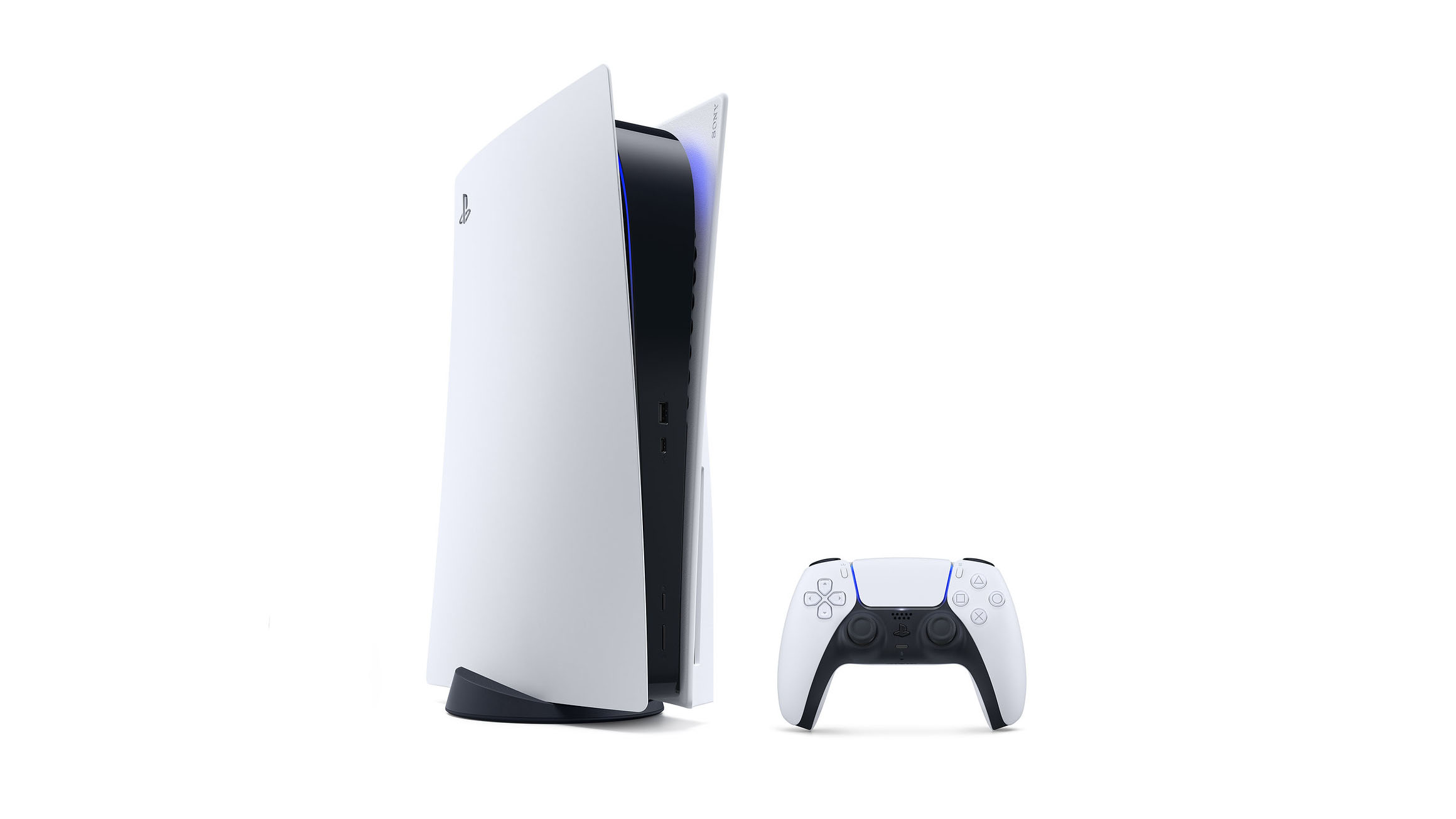
Traditional gaming consoles have come a long way from using proprietary components. Today, home entertainment essentials like the Xbox One, PS4 and Nintendo Switch all feature components derivative of mid-to-lower tier gaming PCs. Both the Playstation 4 and Xbox One even use similar chipsets provided by AMD.
Mid-console cycle releases through the Playstation 4 Pro and Xbox One X brought 4K gaming into the mix despite having issues matching higher tier gaming rig performance. With the Playstation 5 and Xbox Series X slated to hit shelves this upcoming holiday, expect these next-gen devices to follow suit as well. Take a look at the reported specs below:
Xbox Series X
CPU: 3.8ghz Custom Zen 2
RAM: 16GB GDDR6
GPU: 12 TFLOPs, 1.825ghz RDNA 2
Storage: 1tb Custom NVME SSD
(Image credit: Sony)
Playstation 5
CPU: 3.5ghz Custom Zen 2
RAM: 16GB GDDR6
GPU: 10.28 TFLOPs, 2.23GHz RDNA 2
Storage: 825GB SSD
Though highly touted buzzwords like Ray Tracing and SSDs may sound like relatively new technologies for next-gen consoles, PC gamers have been enjoying those features for a few years now. It’s similar to the streaming/sharing and multitasking capabilities of eighth-gen hardware that were familiar to PC users when they launched. Doesn’t hurt that a large majority of popular third-party games from AAA studios like Electronic Arts, Activision, Bethesda Studios and Rockstar Games are also available for PC.
Most of the time, PC ports simply run better with proper optimization. Purchasing a console is also significantly cheaper as the next-gen releases are reportedly slated to run around $500. Meanwhile, a top of the line graphics card alone can run as high as $2,499 (£2,452, AU$4,599) for the Nvidia Titan RTX. That doesn’t even consider additional costs like a case, power supply, sound output, motherboard, CPU and storage. However, PCs still offer everything from a fully functional operating system for non gaming tasks to modding.
At this very moment, individuals with expendable funds can build their own rigs capable of matching PS5 and Xbox Series X specs. So, we went ahead and picked out the components you’ll need to build a gaming PC that can outpower the PS5 and Xbox Series X – in theory, at least.
CPU: AMD Ryzen 7 3700X
(Image credit: AMD)
Both the PS4 and Xbox One featured versions of AMD’s eight-core x86-64 Jaguar chipset when they launched in 2013. The PS5 and Xbox Series X will stick to AMD processors through their Zen 2 line of CPUs. With clock speeds between 3.5GHz - 3.8GHz between eight-cores and 16 threads, this is a significant jump from its predecessors relatively weak CPUs hovering around 1.6GHz.
As of now, the comparable AMD Ryzen 7 3700X can churn out 3.6GHz - 3.9GHz through its eight cores and 16 threads. Cost for that chipset currently runs around $300 on average; more than half the estimated price of a next-gen console.
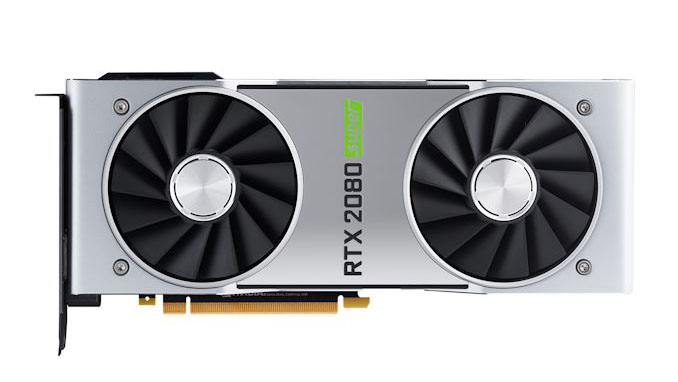
Graphics Card: Nvidia GeForce RTX 2080 Super
(Image credit: Nvidia)
The most expensive component for those looking to have their gaming rig match-up with Microsoft and Sony’s next gen consoles is undoubtedly the graphics card. This is where things also get a bit tricky. Both next-gen consoles are set to include GPUs based on the upcoming AMD RDNA 2 graphics architecture, launching by the end of the year. These graphics cards will be the first from AMD to offer Ray Tracing capabilities. Ray Tracing will allow for more realistic shadows, reflections and just better visual fidelity.
Games including Control, Call of Duty: Modern Warfare, Battlefield V and Metro Exodus support the feature currently exclusive to Nvidia’s Turing series of graphics cards. Though it’s possible to purchase an Nvidia GeForce RTX 2060 for $299 (£299, AU$599), next-gen games are probably going to require more than that card’s available 6GBs of video ram. For a graphics card that could compete with the PS5 and Series X’s 4K abilities at 60 frames-per-second, one is going to have to buy the more powerful Nvidia GeForce RTX 2080 Super with 8GBs of video ram and 11.15 TFLOPs. That’ll start at $699 (about £560, AU$990).
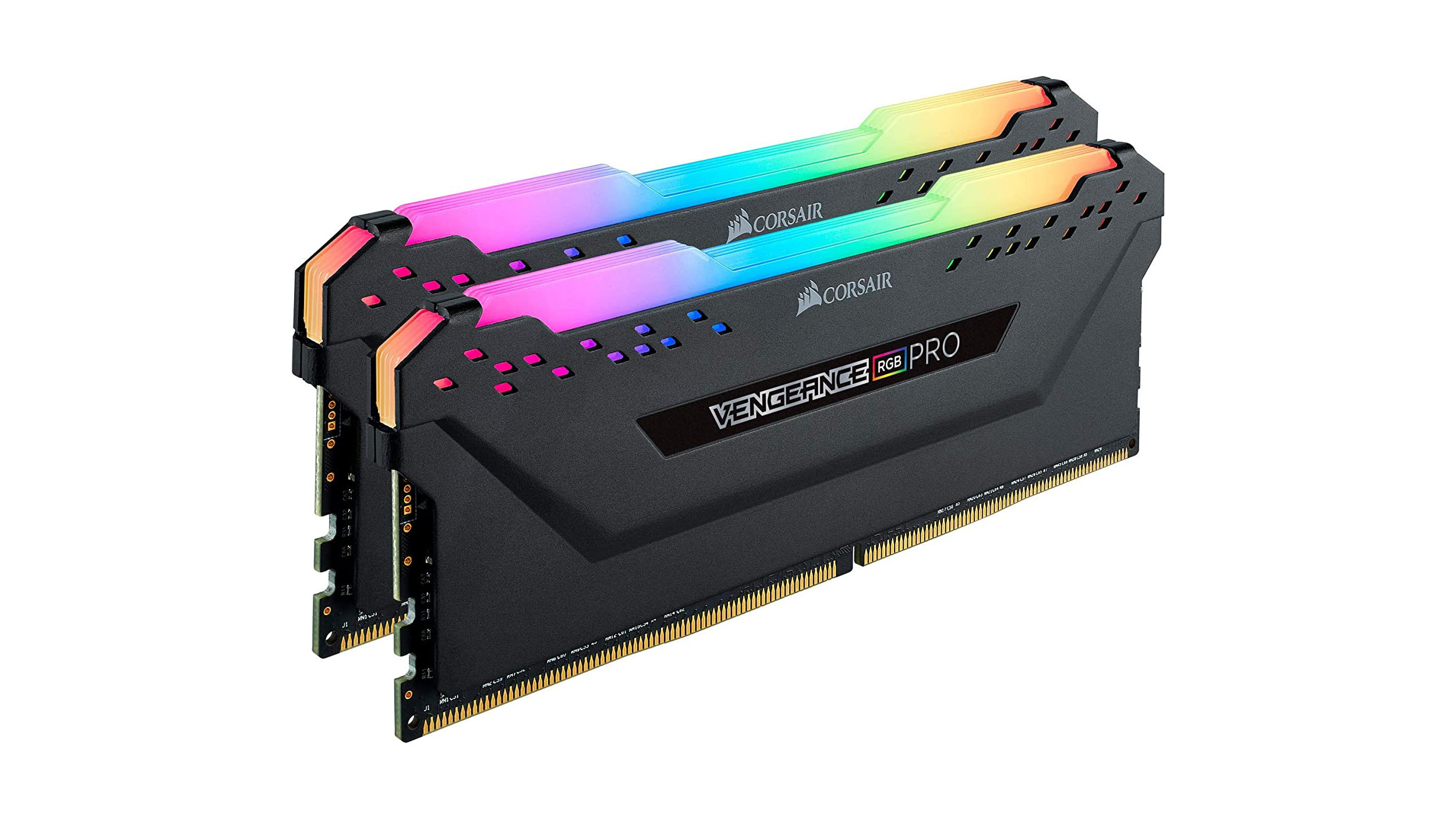
Memory: 16GB DDR4
(Image credit: Corsair)
The PS5 and Series X will make a jump from 8GBs (GDDR5) system RAM to 16GBs (GDDR6) this time around. Be mindful that consoles share RAM between CPU and graphics cards as opposed to PCs utilizing separate video ram for rendering. Probably the cheapest component to acquire, one can find 16GB of RAM online for less than $100 (£100, AU$140).
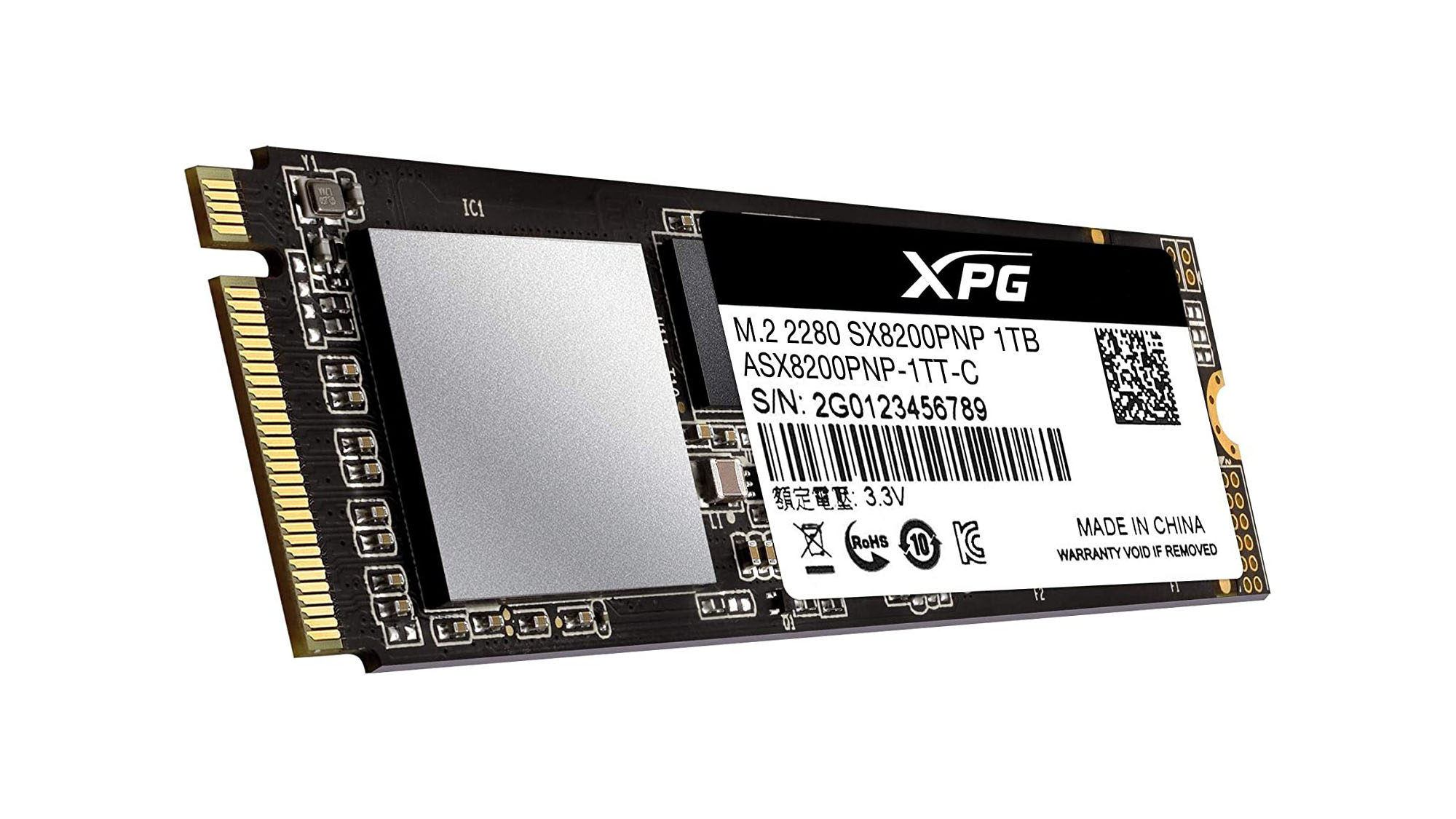
SSD: Adata XPG SX8200 1TB
(Image credit: Adata)
Next-gen consoles are leaving Hard Disc Drives alone for Solid-State-Drives which promises notably faster load-times. Around the initial announcement of the PS5, Sony used PS4 exclusive Marvel’s Spidermanto showcase those improvements. Loading times using a “low-speed” version of the PS5 development kit reduced a fast-travel screen load time from 15 seconds to 0.8 seconds. For the impressive Unreal Engine 5 demo, Epic Games recommended using the faster NVMe SSD. SSDs are so commonplace now in PC gaming that the average 1TB hard drive can be purchased for a little under $200.
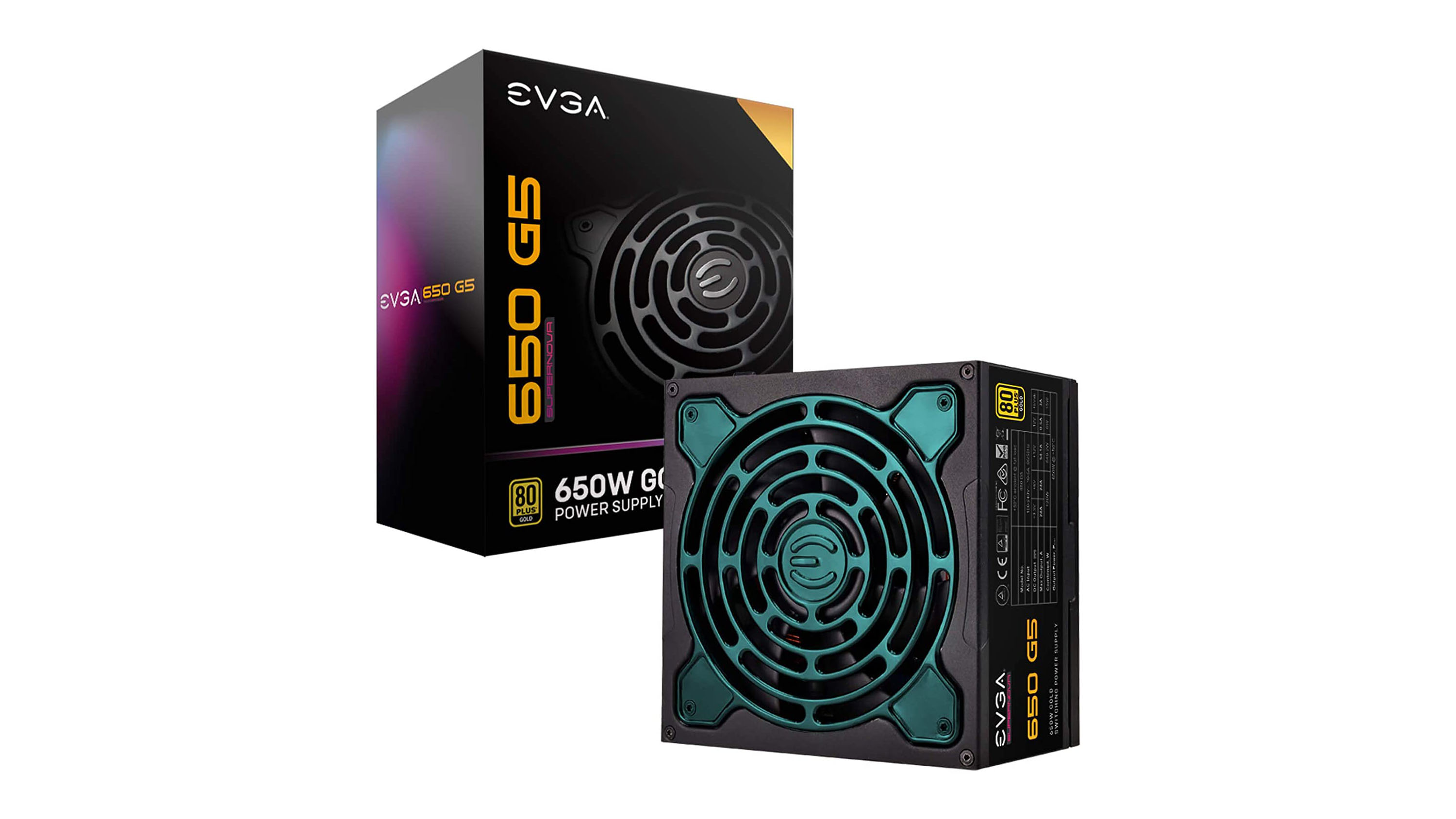
Power Supply: EVGA SuperNOVA 650 G5
(Image credit: EVGA)
In order to run the RTX 2080 Super, a power supply of at least 650W will be required. EVGA’s SuperNOVA 650 G5 costs $134 (£104, AU$191) and even comes with a ten year warranty as well.
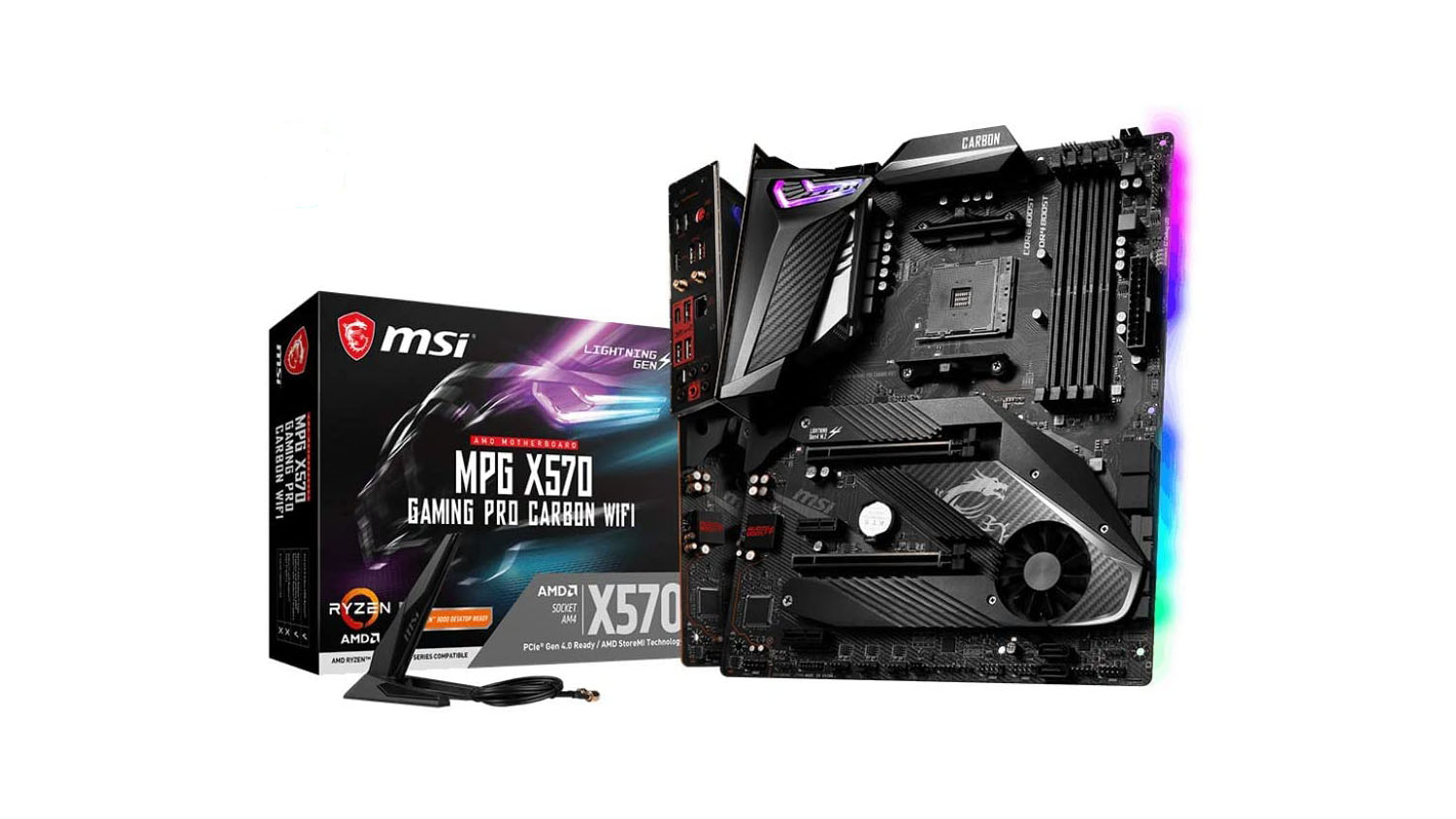
Motherboard: MSI MPG X570 GAMING PRO CARBON WIFI Gaming Motherboard
(Image credit: MSI)
There are several things to consider when choosing a motherboard, including processor compatibility and audio capabilities alongside internal connectivity specs like Wi-Fi, Bluetooth and the amount of USB ports. The MSI MPG X570 Gaming Pro Carbon WIFI, which comes in at $250 (£219, AU$354) is a perfect example of how the best motherboards can compete with the PS5 and Xbox Series X.
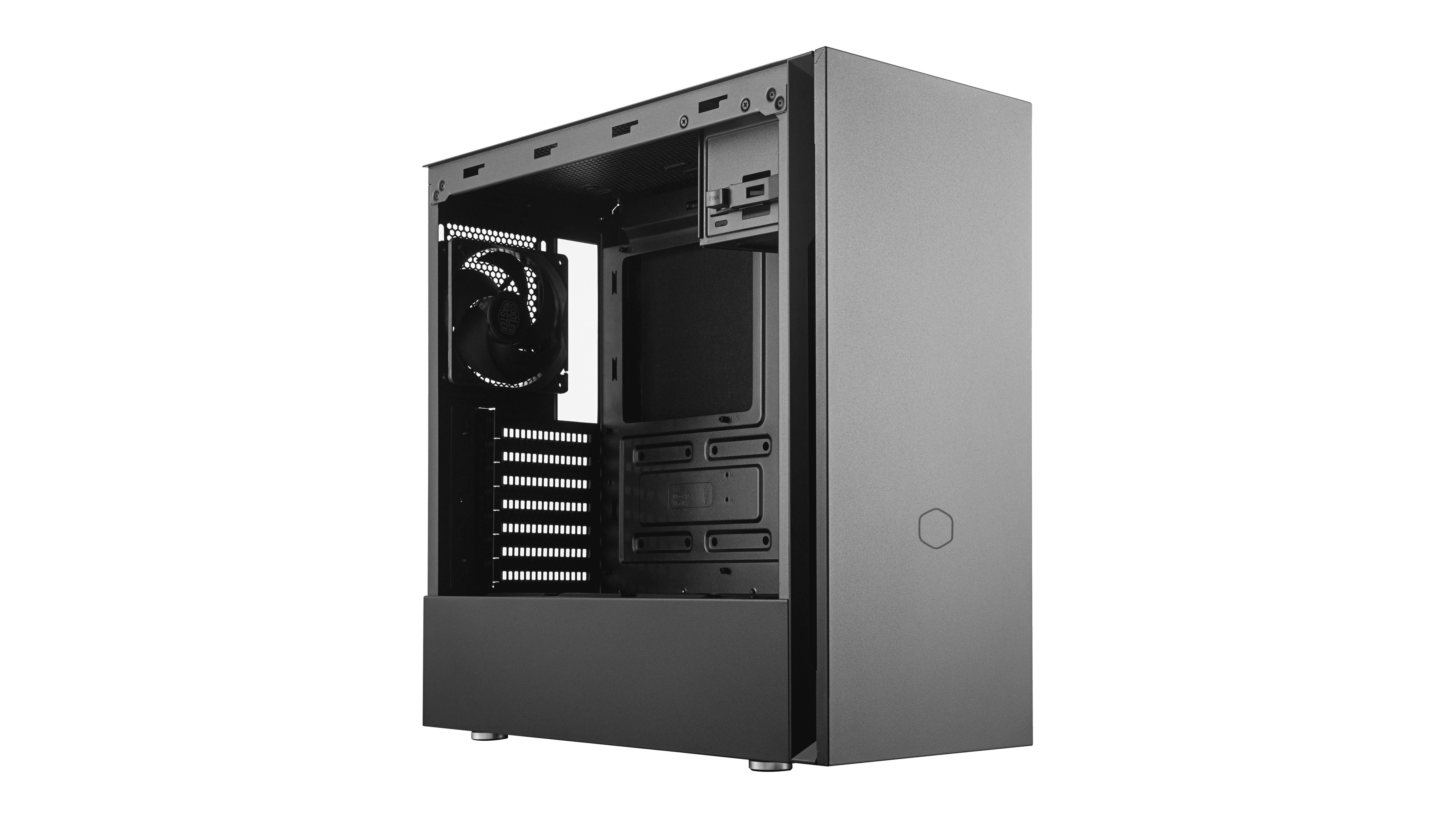
Case: Cooler Master Silencio S600
(Image credit: Cooler Master)
A slick case can be just as attractive as anything from Microsoft and Sony if one knows where to look. For this rig, the Cooler Master Silencio S600 is recommended for its all-black styling that matches the futuristic design of the Xbox Series X. To keep everything running at optimal efficiency, there’s plenty of ventilation available and two Silencio fans for quieter operation. The Cooler Master Silencio S600 also comes with an SD card reader, two USB slots and audio jack through it’s $100 (£100, AU$140) price tag.
Developers of the infamous TrickBot banking trojan have accidentally coded in a feature that alerts infected users to its presence on their device.
Traditionally, TrickBot malware is distributed via phishing campaigns and operates stealthily on an infected machine, scraping credentials, stealing from cryptocurrency wallets and opening the door to secondary attacks.
It was also recently found to contain a mechanism that checks the victim’s screen resolution to determine whether it is running in a virtual machine, allowing operators to hinder the attempts of researchers to analyze the malware.
However, according to security researcher Vitali Kremez of Advanced Intel, the TrickBot creators are accidentally circulating a version that serves a warning message to users whose credentials have been stolen, thereby alerting them to the infection.
TrickBot malware
Kremez believes TrickBot’s “grabber” module is responsible for the alert, designed to scrape saved passwords and cookies from popular web browsers, including Chrome, Firefox, Internet Explorer and Edge.
When working as intended, the module allows TrickBot to stealthily lift login credentials and gain access to the victim’s online accounts - including social media, email, online retailers etc. - but in this instance accidentally reports the malicious activity to the victim.
“Warning - you see this message because the program named grabber gathered some information from your browser,” reads the pop-up alert.
“If you do not know what is happening it is the time to start be worrying (sic). Please, ask your system administrator for details.”
According to Kremez, the module is “coded in the same fashion” as the wider TrickBot malware, suggesting the same developers are responsible. The only explanation for this eccentricity, he claims, is that the creators forgot to remove the self-reporting functionality when a new test build went live.
Users served the error message are advised to disconnect from the internet and scan their machine using antivirus software. Once any malware has been removed, users should change all passwords for accounts logged into via the affected browser.
Check out our list of the best antivirus services available
Hyper Scape, Ubisoft’s new contender for the best battle royale game, is now available for PC gamers to download and play in open beta.
Following a new gameplay trailer which was showcased in the Ubisoft Forward event, the open beta of the futuristic shooter – which is kind of like a streamlined and stripped-down Apex Legends with even more emphasis on mobility, and some interesting extra touches – has been unleashed.
The Hyper Scape beta comes with four game modes. Crown Rush Squad is the main game, with the winner being the last team standing, except you can also take an alternative route to victory by keeping hold of a crown that appears in the late game. Crown Rush Solo is the same except players aren’t in squads, but are playing as lone wolves.
Ubisoft notes that two ‘limited time’ modes will be appearing soon – Hack Runner Squad and Turbo Mode Squad – but doesn’t give any info as to exactly what these will be yet. Furthermore, a new weapon and hack have been added to the game for the open beta.
Royale twists
Hyper Scape has some interesting different twists on battle royale, as mentioned, including a fresh mechanic for how the battlefield – a virtual city, an urban environment offering towering heights and jump pads – closes in, with sections of the map simply disappearing and buildings slowly phasing out of existence in the virtual world.
And there’s a whole additional social mechanic whereby viewers on Twitch can trigger different events in the game, like low gravity, or haste, which increases the speed at which the game plays.
All this happens via the CrownCast Twitch extension, with extra features like streamers having the ability to directly invite viewers to play in their squad, which is pretty nifty. Watching streamed games can also progress your battle pass, too, further rewarding spectators.
Of course, the best way to get an idea of what Hyper Scape is all about is to just give it a spin yourself, which you can now do. Download the open beta here, and meanwhile check out the latest gameplay trailer above.
Fraudsters are using lapsed web domains to redirect visitors to dangerous URLs, designed to spread adware and other forms of malicious content.
According to security firm Kaspersky, around 1,000 inactive domains are rigged to redirect users to blacklisted pages, some of which are capable of triggering malware downloads.
Cybercriminals used these thousand domains to route users to over 2,500 unrelated URLs, 89% of which were designed to generate advertising profits (malvertising campaigns) and 11% either contained malicious code or prompted the visitor to download infected documents and executables.
If a company or individual decides not to renew their ownership of a web domain, the URL traditionally redirects visitors to an auction stub notifying them of its availability.
However, in some instances, hackers have found a way to replace the auction stub with a dangerous redirect mechanism. Kaspersky believes scams of this kind are likely made possible by flaws in ad filtering systems.
Researchers found one of the malicious pages identified received an average of 600 redirects every ten days, with hackers likely receiving payment based on the number of visitors funneled to the site.
“Unfortunately, there is little users can do to avoid being redirected to a malicious page. The domains that have these redirects were - at one point - legitimate resources...and there is no way of knowing whether or not they are now transferring visitors to pages that download malware,” explained Dmitry Kondratyev, Junior Malware Analyst at Kaspersky.
“In general, malvertising schemes like these are complex, making them difficult to fully uncover, so your best defense is to have a comprehensive security solution on your device.”
Beyond installing high-quality antivirus software, Kaspersky also noted users can minimize the risk of infection by installing applications and updates from trusted sources only.
Nvidia is pulling the plug on its higher-end graphics cards for the current Turing generation, and production of the GeForce RTX 2070 and 2070 Super, plus the RTX 2080 Super and 2080 Ti is being halted, according to a new rumor.
We’d be careful around this particular piece of speculation, as it doesn’t come from what we’d describe as a trusted source, but still, this is apparently the case according to a Chinese tech publication IThome (as spotted by Tom’s Hardware).
While this is good news on the face of it – production is stopping because Nvidia is about to launch its next-gen Ampere (likely RTX 3000) graphics cards, or that’s the theory, and one the rumor mill has been peddling lately – there is some bad news here too.
Namely that these current high-end RTX 2000 series cards are set to have their prices hiked imminently, so if you do wish to buy a speedy Nvidia graphics card in the very near future, you’re going to be paying through the nose for it.
Supply and demand
At least that’s the allegation, and we’d be particularly cautious about this. IThome argues that because stock of these Turing GPUs will be dwindling, obviously enough with things winding down, plus apparently TSMC, the foundry that makes the cards, is focusing elsewhere anyway, with supply issues therein too.
Couple this with a reported increase in demand for crypto-mining GPUs – yes, that’s a thing again apparently – and you’ve got supply and demand issues pulling in nasty directions, with graphics cards thinner on the ground as a result. Meaning one thing: rising prices for these RTX 2070 and 2080 models.
As we said, though, the price rise element of this rumor certainly needs a good deal of salt tossed around, but the state of play with production of these GPUs being wound down is obviously perfectly believable given that RTX 3000 graphics cards are expected to be launched soon anyway.
The most recent rumor we’ve heard is that Nvidia is targeting a September launch – and AMD may be as well – with mass production cranking up in August, and indeed IThome has floated a date of September 17 for the launch of Ampere GPUs.
If that date is about on the money, that gives us two more months of Turing products being on sale – but perhaps only a few weeks before the prices of these current-gen models start rising (perhaps being the key word here).
Right now, many governments around the world are pushing what are merely ‘exposure notification’ apps for smartphone users rather than full-blown contact tracing apps. Proper contact tracing includes the ability to track down and pinpoint where exposure and transmission has actually occurred through interviewing those infected about their patterns, recent movement and visits.
About the author
Chester Wisniewski, Principal Research Scientist, Sophos.
Exposure notification apps simply let users know if they were in close proximity to someone else using the app who’s exhibiting COVID-19 symptoms. They offer far less certainty in their notifications to individuals, and in balancing privacy concerns with public health considerations, they typically offer far less useful information to public health authorities.
How exposure notification apps fall short
Exposure notification apps rely on the Bluetooth Low Energy (BLE) radio in a smart device to keep a log of all the other devices using the same app within range of the user’s phone. Don’t be fooled by the “Low Energy” designation. The radio has the same strength and range as traditional Bluetooth, so most user devices will likely keep a log of other phones within a range of 10 metres (33 feet) or more.
This will help in wide open public spaces, as the app can estimate the distance between a user’s phone and the vast majority of phones out there. When someone suspects they have symptoms or tests positive for COVID-19, public health authorities can set the app to only notify phones that were close enough for long enough. At the moment epidemiologists recommend this to be set at two metres (6 feet) for 15 minutes or more, but if our understanding changes, public health authorities can adjust the app settings.
Unfortunately, Bluetooth radio waves travel quite efficiently through drywall, glass and other barriers that prevent the transmission of COVID-19. This means there’s potentially a reasonably high level of false positive notifications for people in densely populated urban areas. They also are quite easily blocked by the human body, making distance measurements unreliable.
The tech also doesn’t know when or if the user wears personal protective equipment (PPE). It’s believed that the rate of transmission drops dramatically for those who are potentially infected yet wear a face mask or shield. Apps don’t know when the user takes responsible protective measures.
Privacy issues
The UK’s NHSX app as well the one developed in Australia tried to make a go of using a decentralized approach, but have found that neither app can deliver on what it promises without the help of Google and Apple. Apple has designed iOS to not allow applications to use Bluetooth for tracking purposes, both as a battery-saving technique and for privacy. For any app to work in countries where the iPhone has any market share, the app will need Apple’s blessing.
Google and Apple have decided that privacy remains paramount and aim to prevent apps from using their APIs if they collect location or other personal information. Unfortunately, this is precisely the information public health authorities need to battle this pandemic.
Oddly, this privacy-first approach only becomes mandatory when providers want to develop exposure notification apps. Every other app on our devices collects nearly unlimited amounts of personal information and tracks our every movement, online and off, with only a brief popup for permission.
Time to compromise?
Usually, I am the first in line to argue for privacy, but these are not ordinary times. Public health authorities need to balance efficacy, trust and privacy in the design of their apps to achieve the results they need to manage this pandemic.
Apps can help us track symptoms and can even help us voluntarily track our own movements to self-disclose to real human contact tracers. Apps could even help us with exposure notification and share small amounts of data about our location to help public health professionals plan for outbreak response.
Or we can just continue to only allow marketing and advertising companies to collect this data, while keeping the public health authorities in the dark.
It’s our choice and we need to have an open, informed and honest conversation about how we move forward. The decision does not belong to Google or Apple alone, but to all of us.
The final caveat is that even if we get the perfect app, for an app to meaningfully effect the spread of COVID-19 we would need a significant majority of smartphone users to install the app. This may turn out to be unrealistic if not impossible.
Researchers at Slovenian cybersecurity firm ACROS Security had revealed a previously unknown flaw in the popular videoconferencing software last week that could allow a hacker to remotely commandeer computers running old versions of the Microsoft Windows operating system.
Following this, an anonymous researcher contacted the team at security advice site 0patch rather than reporting it directly to Zoom. The 0patch then issued a "micropatch" free of charge until Zoom could release their own.
“According to our guidelines, we're providing these micropatches to everyone for free until Zoom has fixed the issue or made a decision not to fix it," 0patch explained in a blog post.
"To minimize the risk of exploitation on systems without 0patch, we're not publishing details on this vulnerability until Zoom has fixed the issue, or made a decision not to fix it, or until such details have become public knowledge in any way,”
Zoom Windows 7
Following this, Zoom also announced an updated Windows software version on July 10, a download which included a patch which the company says, “fixes a security issue affecting users running Windows 7 and older.”
ACROS Security had noted that anyone able to successfully exploit the vulnerability could access files on the vulnerable computer, and even take over the entire device.
Microsoft has been trying to convince Windows 7 users to upgrade to newer software versions in recent years, but with little success - despite offering free upgrades to Windows 10.
The company revealed it would be ending technical support out for Windows 7 on January 15 2020, meaning it would no longer offer patches and security updates for Windows 7.
That means that any bugs or problems still found in the software will never get fixed. Likewise, any security vulnerabilities could also remain in Windows 7, as Microsoft is unlikely to patch those unless they are very severe – more on that in a moment.
Many large organisations, including the NHS, still use Windows 7 on many devices, with Microsoft allowing customers to pay extra to receive specilaised support.
“Zoom takes all reports of potential security vulnerabilities seriously,” a Zoom spokesperson said in a statement. “This morning we received a report of an issue impacting users running Windows 7 and older. We have confirmed this issue and are currently working on a patch to quickly resolve it.”
The issue is the latest in a litany of security worries for Zoom, which has exploded in popularity in 2020 thanks to the remote working boom caused by the global pandemic.
The sudden and increased demand on the company's systems was unlike anything most companies have ever experienced, with criminals also attacking Zoom with gusto. Following a number of high-profile issues, company's CEO Eric S. Yuan promised more transparency and announce a 90-day freeze on all new features not related to privacy, safety or security back in April - however this deadline was missed earlier this month.
WireGuard has certainly made the VPN industry stand up and take notice in recent times. This high speed, secure and low footprint open-source protocol utilizes state-of-the-art cryptography and offers stiff competition for the likes of IPsec and OpenVPN. From the users point of view, what benefits can they expect from WireGuard and what are some of the myths surrounding its use that have been touted in the media and elsewhere?
About the author
Tomislav Čohar is the founder of hide.me VPN.
The use of more modern and efficient cryptographic techniques means that WireGuard is an extremely fast protocol that doesn’t sacrifice security. WireGuard works from within the Linux kernel meaning that it can process data faster - this eliminates much of the latency associated with other VPN protocols. With security in mind, WireGuard is a lot newer than the likes of OpenVPN, which means it was built from the ground up to support more modern encryption methods and hash functions such as ChaCha20, BLAKE2s, SipHash24, HKDF, and Curve25519.
WireGuard also offers a lower footprint - unlike OpenVPN and IPsec, it was made to be as lightweight as possible and can be implemented with just a few thousand lines of code. This has the added benefit of making for a smaller attack surface, which in turn makes auditing the code a much more simple and efficient process. And it also has built-in roaming capabilities allowing users to switch from something like Wi-Fi to 4G LTE, seamlessly whilst connected.
WireGuard uses your network more efficiently than other protocols. It’s overhead is just a mere 32 bytes while other protocols use much more space for their signaling. This means more space for your data and, in turn, higher throughput.
Debunking the myths
Taking all of these benefits into account, recent media coverage and some claims have certainly been a cause to raise eyebrows. Let’s take a look at just a few of the myths that have been circulating in recent weeks and months so that you can better understand exactly what WireGuard can deliver.
Myth 1 - WireGuard is an upgrade that will dramatically increase internet speeds. Are other protocols much slower?
Some are, but that heavily depends on the circumstances and is not really related to crypto. What good is a speedy crypto if you're connected through a dialup modem? Also, if you are a provider that supports much faster protocols (such as SoftEther on Windows or IKEv2 on anything else), then WireGuard isn't going to deliver dramatic speed promises.
Myth 2 - WireGuard demands that each device on the network get a static or fixed IP address
Actually, WireGuard doesn’t demand anything. It behaves just like any other protocol - it operates as a versatile cryptographic piece of a larger puzzle called a VPN tunnel. It's really more about how you manage it. Using a simple or rigid setup means static IPs on the servers. But it can be managed dynamically. Adding IPs when they're needed and getting rid of them as soon as the VPN session is done, means that WireGuard may behave just like any other VPN protocol.
Myth 3 - WireGuard significantly changes the way servers can communicate with each other
No it doesn’t - it’s the same ball game. Just like the other protocols. It really doesn’t get more simple than that.
Myth 4 - The highest possible performance comes from running in-kernel
Not true at all - IPSec is way faster on all platforms! IPSec is way faster because it runs in the kernel too, but is way more optimized for Intel CPUs. The thing is, running within the kernel is a major speedup, but WireGuard is not the only protocol to run that way. PPTP/L2TP do too. OpenVPN developers plan to release a kernel module for Linux soon. SoftEther, which is completely running in the userspace, outperforms WireGuard when the throughput is the primary concern.
Myth 5 - WireGuard sticks to strong but simple ways of exchanging and verifying data
Actually, it only supports one method of key exchange. Only one AEAD is supported. Other VPN protocols support a plethora of cryptography systems but tend to settle on AES. AES is not flawed, no exploit has been found yet. Also, AES cipher ( Rijndael is the actual cipher name ) is cryptographically stronger than ChaCha20 which is used by WireGuard. However, It is computationally expensive when compared to ChaCha20. ChaCha20 is a tradeoff, best bang for the buck. One could argue that Poly1305 MAC is stronger than GCM, but then again we come to the point of AES-GCM being supported in the hardware.
Moving forward with WireGuard
WireGuard certainly is an interesting VPN protocol with the ability to be a game changer for the VPN industry. In comparison to some existing VPN protocols, WireGuard may offer faster speeds and better reliability with new and improved encryption standards. As it increases in popularity and demand increases, it is inevitable that more VPN services will include WireGuard into their frameworks.
Coinbase could be the first major player in the cryptocurrency industry to go public in the US, reports have claimed.
The company is yet to announce its intentions to go public, but has apparently been in talks with investment banks and law firms in what would mark a milestone for the crypto market.
Cryptocurrency exchanges and related businesses have been in limbo in the US for the past several years, as banks have largely shunned the industry and the Securities and Exchange Commission (SEC) has not issued regulatory guidance on the majority of digital coins. A stock market listing for Coinbase would lend legitimacy to other companies built around cryptocurrency and potentially pave the way for future IPOs.
Nearly $10bn worth of cryptocurrency was stolen in the past three years
Coinbase listing
Before it can go public, Coinbase will need approval from the SEC. Coinbase has not yet filed an application with the agency and the SEC has been silent on the question of whether Coinbase will be allowed to proceed.
Notably, Coinbase isn’t planning to enter public markets through an initial public offering (IPO). Instead, it expects to use a direct listing in which it will not issue new shares.
A direct listing would reward existing shareholders, since there is no lock-up period in which they are barred from selling their Coinbase shares. In addition, this route avoids watering down the value of existing shares with a new issuance.
Coinbase was last valued at $8 billion during a private financing round in 2018, and the crypto market has only grown since then. Coinbase added more than eight million users from 2018 to 2019 and the marketplace recently surpassed 35 million total accounts. Coinbase currently operates in the US and more than 100 other countries around the world.
Cryptocurrency exchange platform BlockFi has announced the launch of its new mobile app for iOS and Android.
The company says its BlockFi app will bring together all its financial services on a single platform, enabling retail clients to trade several popular cryptocurrencies, manage interest-earning accounts, and take out crypto-backed loans.
Founded in 2017, BlockFi has found a niche in bridging the gap between digital currencies and traditional financial products.
The company offers cash loans in US dollars using cryptocurrencies as collateral and recently created the BlockFi Interest Account as a way for traders to earn interest on their currency holdings.
BlockFi currently offers trading between Bitcoin, Ethereum, Litecoin, USD Coin, Paxos Standard, and Gemini Dollar.
The app looks to increase BlockFi’s appeal for both current clients as well as investors looking to make the jump to crypto. “BlockFi is the perfect place for [investors] to make this leap,” says founder and CEO Zac Prince. “The app connects with these consumers on their level, providing a friendly and easy-to-use channel.”
BlockFi is promoting the launch of its app by offering interest rates of up to 8.6% APY for new and existing clients with a BlockFi Interest Account. That’s an increase of 2% relative to when the savings service first launched in May. Interest can be collected in any currency that BlockFi supports, giving investors the option to automatically diversify their portfolio.
Notably, BlockFi clients will also gain access to crypto-backed loans through the app. The company offers same-day loans in US dollars so that investors can access liquidity without selling crypto assets. Loans are available at up to 50% of the value of current holdings and at interest rates as low as 4.5%.
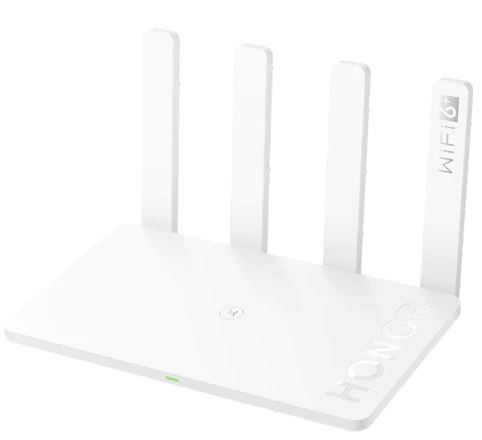
Honor Router 3 -$47.99 at Gearbest(roughly £38/AU$ 69) The Honor Router 3 delivers Wi-Fi 6 speeds at an exceptional price and this router also has a clean, minimalist look. At less than $50, this router will give you the fastest Wi-Fi speeds currently possible and then some as it is a Wi-Fi 6+ device.View Deal
Wi-Fi 6 (also known as 802.11ax) is a pretty recent wireless standard having been officially released as a protocol not so long ago, in 2019. It replaces 802.11ac (Wi-Fi 5) as the fastest Wi-Fi protocol widely available in the market.
Less than a year later, Honor is selling the Router 3, a Wi-Fi 6 router for as little as $47.99. While you need to have a compatible device to get the most out of it, the improvements on offer thanks to the sheer presence of newer hardware and technology makes it a worthwhile investment if your current ISP-provided router is not delivering.
The Honor Router 3 - which is a rebadged WiFi AX3 - delivered combined wireless speeds of up to 2976 Mbps (2.4 GHz: 574 Mbps; 5 GHz: 2402 Mbps) allowing you to transfer data to up to 20 devices simultaneously.
Note that most users will almost certainly never reach this level, mainly because it is only a theoretical maximum speed. The router is sold as a Wi-Fi 6+, and we've reached out to Honor to find exactly out what the “plus” version brings to the table.
A maximum of 128 devices can be registered across both bands and its four separate antennae should improve coverage especially across several walls. Insider, the router is powered by a dual-core Gigahome CPU, running at 1.2GHz; it is paired with 128MB RAM and 128MB storage.
When it comes to connectivity options, there’s one WAN port and three LAN ones, all of which are Gigabit capable.
If this product comes from mainland China, it will take at least a month to reach either the UK or US (and potentially more). You may also be levied a tax either directly or through the courier.
If you've managed to get your hands on a cheaper product with equivalent specifications, in stock and brand new, let us know and we'll tip our hat to you.
Modern hyperscale datacenters have infinite appetite for storage performance, capacity, and density, which is why multiple new SSD form-factors designed to maximize performance and capacity were introduced in the recent years.
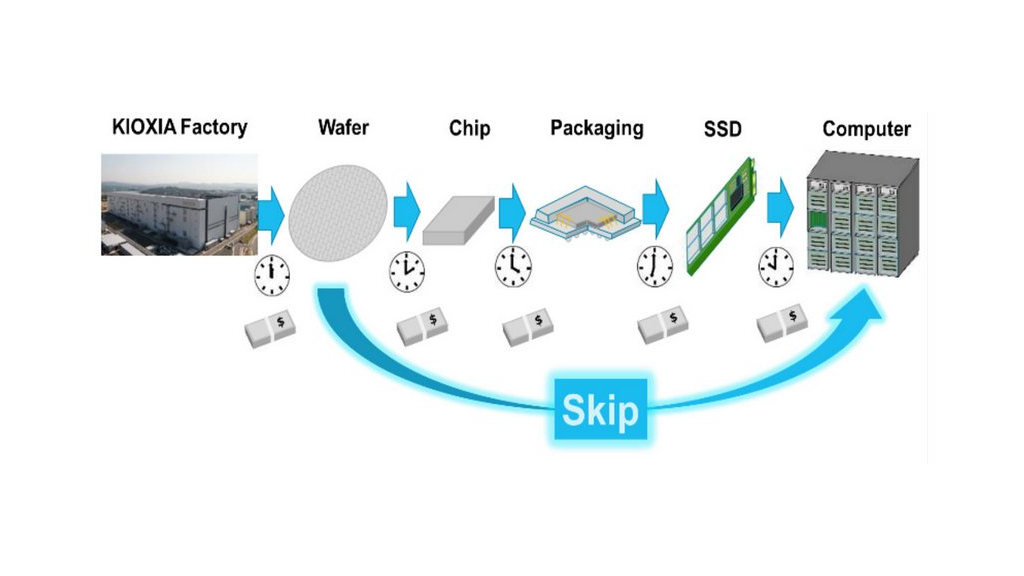
But Kioxia believes that there is a faster and cheaper way to deliver desired solid-state storage solutions to cloud customers: wafer-level SSDs.
With capacities starting at around 50 TBs using current 3D QLC NAND, such devices could offer unbeatable performance.
In a nutshell, Kioxia proposes to skip dicing, assembly, chip packaging, and SSD drive assembly, but use a whole wafer with 3D NAND instead.
The wafer is to be probed using Kioxia’s ‘super multi-probing technology’ to discover as well as disable faulty 3D NAND dies and then attached to a pad with I/O and power connectors. The whole thing should be operated in parallel to extract maximum sequential and random IOPS performance.
The current capacity of SSDs is limited by form-factors and chip packaging technologies, whereas performance boundaries are defined by controllers (i.e., by the number of their NAND channels as well as their ability to effectively perform ECC and other necessary operations quickly) and the PCI Express interface.
On a wafer level, one can get an extreme number of NAND channels (think well beyond Microsemi’s 32 channels common on enterprise-grade SSDs), whereas a PCIe 6.0 x16 interface would deliver up to 128 GB/s of bandwidth. As for IOPS, we are talking about a multi-channel monstrous SSDs, so think of millions of IOPS.
(Image credit: Blocks & Files)
Shigeo Oshima, Kioxia’s chief engineer, described the concept of wafer-level SSDs in a presentation at VLSI Symposium 2020, meaning this is not a product from the company’s roadmap, but hopefully something to come soon.
However Kioxia currently produces 1.33 Tb 96-layer 3D QLC NAND chips that measure 158.4 mm2 and deliver up to a 132 MB/s write performance due to a quad-plane architecture. Approximately 355 of such dies fit on a 300-mm wafer, so assuming a yield rate of approximately 90%, Toshiba gets around 320 good dies, or 53 TB of raw 3D QLC NAND. With future iterations, Toshiba will have even more raw 3D NAND per wafer.
A solid-state storage solution based on 300-mm 3D NAND wafer(s) would look like a standard rack server with its own logic, PSU, cooling system, and other components like network interfaces. From storage density point of view, such a server is not going to be a champion (not in a world where you can pack 100 TB into a 3.5-inch form-factor), but if you need extreme performance at a relatively low price, a device of such kind could make sense.
Also check out our complete list of the best business laptops: top devices for working from home, SMB and more
Microsoft has unveiled a new threat detection service that it hopes can greatly improve security protection on Linux systems.
Project Freta is a free cloud-based tool that is able to detect new forms of malware and other malicious software such as rootkits and cryptominers that Microsoft says could have previously gone undetected in Linux systems.
The company notes that such threats can often be found lurking in Linux cloud VM images, putting users of the open-source platform at risk.
Microsoft says that Project Freta offers a whole new way of detecting malware threats, going beyond existing methods that rely on sensors to predict the presence of something untoward.
Such methods can often be swerved or bypassed entirely by malware authors, meaning a new approach was needed. Project Freta is able to analyse virtual machines (VMs) in order to learn about new environments and how they are affected by malware, before using this knowledge to spot emerging threats.
Microsoft says Project Freta automatically analyses images of thousands of Linux cloud VMs in order to detect new forms of malware and sensor corruption, and supports over 4,000 kernel versions at launch.
This makes it incredibly resilient, meaning malware authors would have to invest heavily in developing new threats that can get around the new scanning technology. Project Freta users, who will need a Microsoft account to access the service, can also submit a captured image to generate a report of its content, helping boost the initiative's reach and expertise.
"We often think about the field of computer security as a field of walls and barriers that keep intruders out," Mike Walker, Microsoft Senior Director, New Security Ventures wrote in a blog post announcing the launch.
"With Project Freta, we invite readers to think not of walls but of sunlight...Project Freta is a roadmap toward trusted sensing for the cloud that can allow enterprises to engage in regular, complete discovery sweeps for undetected malware."
Initially only available for Linux systems, Microsoft says it plans to add Windows support for Project Freta soon, as well as AI technology that can boost decision-making potential.
"We hope that Project Freta empowers administrators and responders and is used globally as it has been used at Microsoft: to hunt advanced intruders and their toolkits," Walker concluded.
Apple says that you shouldn’t use a camera cover with your MacBook webcam, at least not without removing it when closing the laptop, otherwise you run the risk of potentially damaging your screen.
The warning comes in an Apple support document, as spotted by MacRumors, and the issue would seem to be tied in with reports that have come in from some MacBook owners complaining that their screen has suffered from cracks.
MacRumors highlights users on its own forum, and Reddit, as examples of folks who have used a webcam cover of some kind that has caused the display to crack.
The reason damage could occur, Apple notes, is because the construction of its slim MacBooks doesn’t give much breathing room between the screen and the keyboard deck when the notebook is closed.
Apple explains: “If you close your Mac notebook with a camera cover installed, you might damage your display because the clearance between the display and keyboard is designed to very tight tolerances.”
Privacy issues
Why would you want to cover your webcam anyway? Some users do so for privacy reasons, not trusting that their camera might be hijacked in some manner (remember the famous cases of Mark Zuckerberg taping over his webcam, and indeed the director of the FBI).
However, Apple further explains that there is a green light to clearly show when your camera is active, if it has been hijacked.
Apple says: “The FaceTime HD camera built into your Mac computer is designed with your privacy in mind and uses a camera indicator light that glows green when the camera is active. So you will always know when the camera is on. The camera is engineered so that it can’t activate without the camera indicator light also turning on.”
Furthermore, Apple observes that covering the camera may prevent some of the laptop’s features from working as well, such as automatic brightness adjustment (via the ambient light sensor) and True Tone technology.
If you must use a webcam cover, Apple advises that it shouldn’t be thicker than a piece of printer paper (0.1mm), or if you do use a thicker cover, make sure that you remove it before closing the MacBook. Otherwise, you may run the risk of cracking the display. You also shouldn’t use anything that leaves an adhesive residue on your camera, for obvious reasons.
The best 2-in-1 laptops are the perfect tools for work and play. Their versatile design gives consumers both the classic laptop setup and the tablet form factor in a single device, with a touch display to boot. Alongside the classic laptop form, the best 2-in-1 laptops can convert into a tablet for casual gaming or social networking and even into tent mode for easy, relaxed viewing.
This means that the best 2-in-1 laptops will get you through your daily productivity needs, help you unwind with a game or a movie and even streamline your workflow for your creative endeavors. In other words, they eliminate the need for two devices, making it easier on your bank account and when you’re the go. More importantly, they’re packed with the best processors and best graphics cards, as well as high capacity RAM, which means that they are more than capable of handling the more demanding tasks.
The best 2-in-1 laptops have changed the way we use laptops forever, and they’re among the best laptops 2020 has to offer. If you’re ready to jump on the hybrid bandwagon, be sure to check our list. Whatever it is you’re looking for or can afford, you’ll find the ideal match for you here.
The best 2-in-1 laptop at a glance
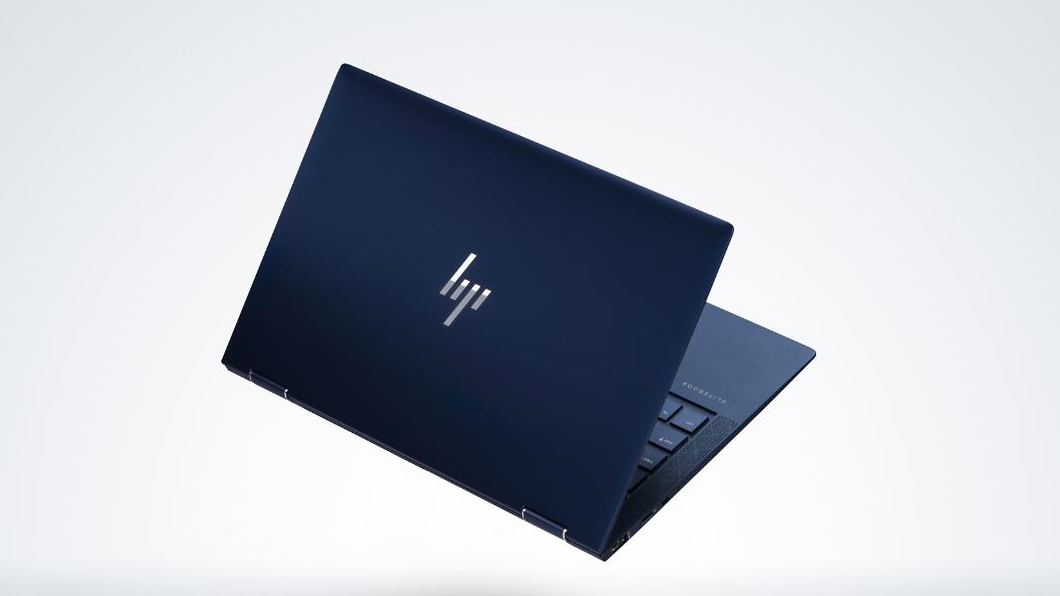
HP Elite Dragonfly
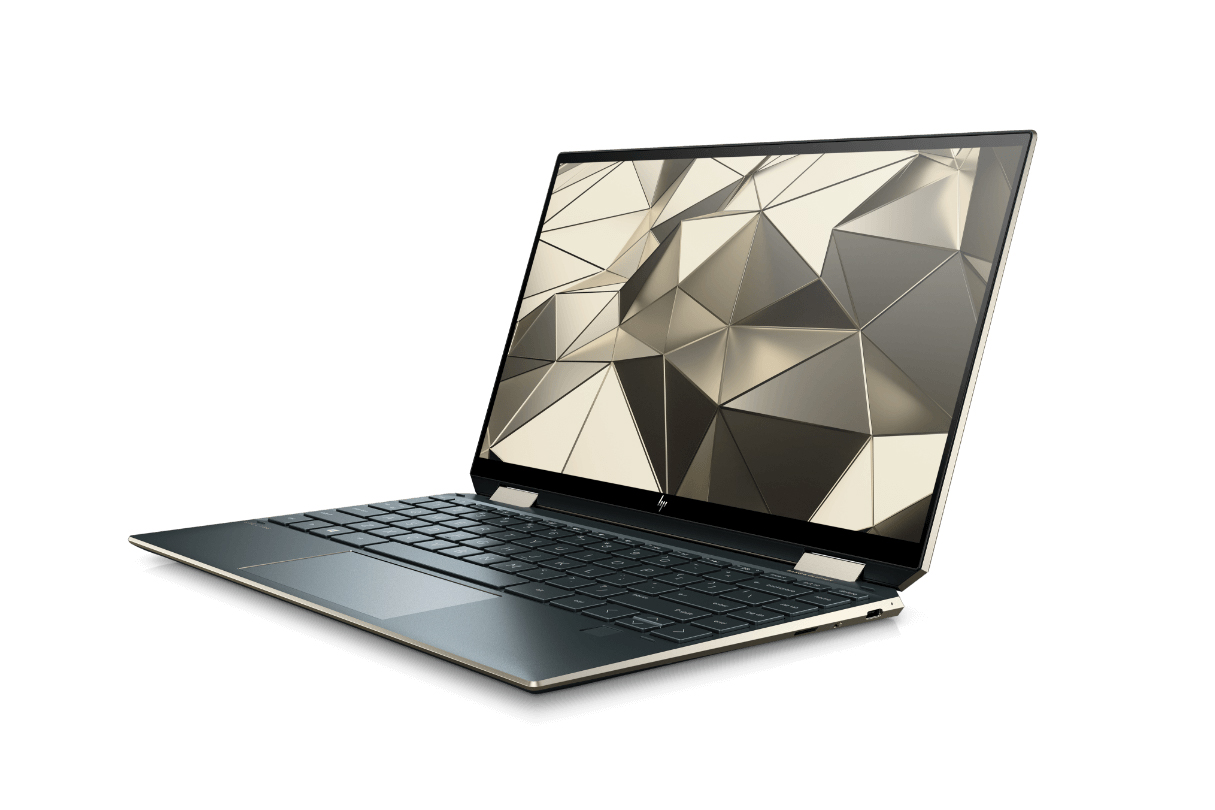
HP Spectre x360 (2020)
Dell XPS 13 2-in-1 (2019)
Lenovo Yoga C930
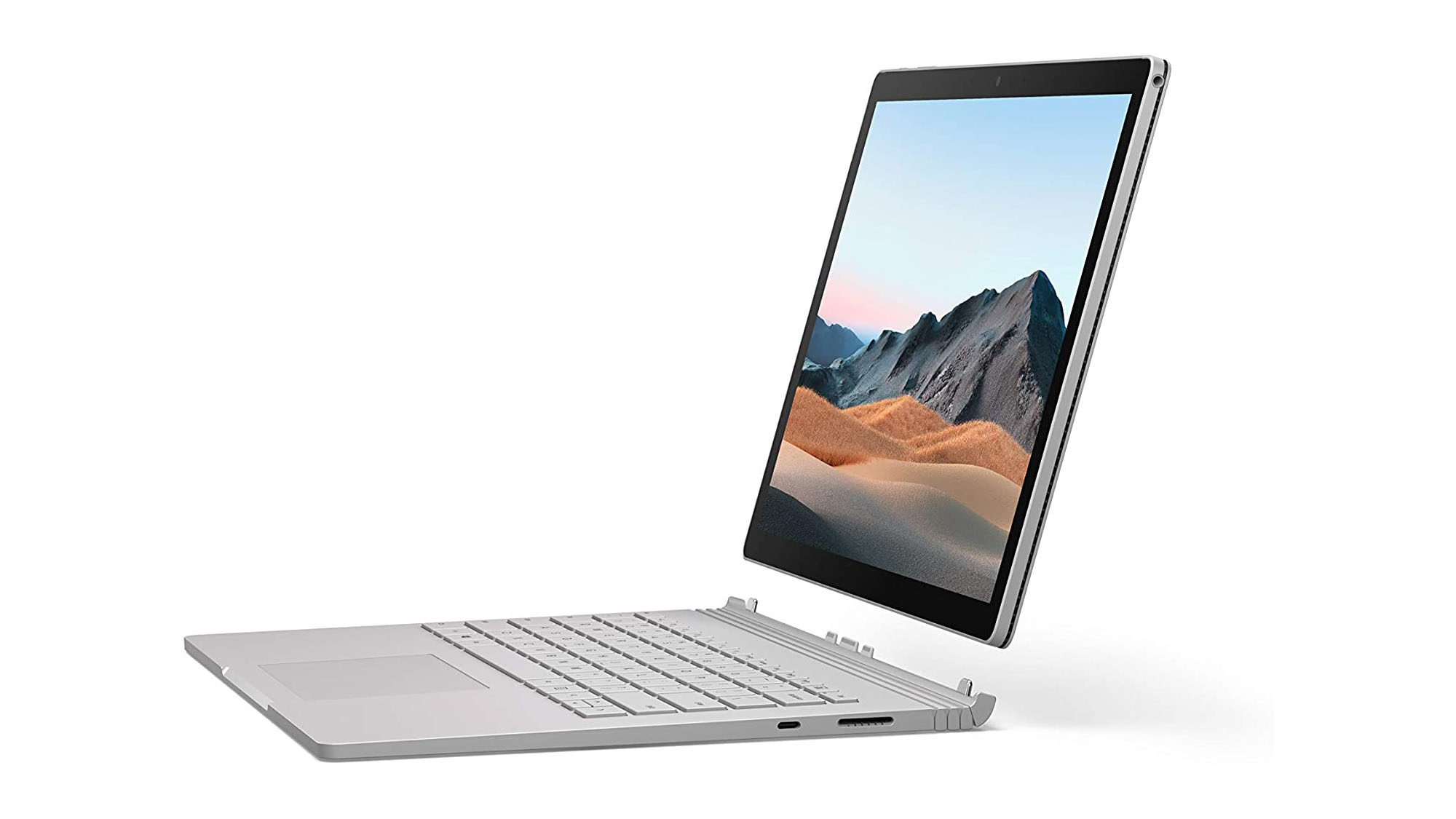
Microsoft Surface Book 3
The HP Elite Dragonfly tops our list with its combination of portability and power.(Image credit: HP)
1. HP Elite Dragonfly
For the traveling professional
CPU: 8th-generation Intel Core i5 – i7 | Graphics: Intel UHD Graphics 620 | RAM: 8GB - 16GB | Screen: 13.3" diagonal Full HD touch display – Full HD touch Sure View display | Storage: 256 GB SSD
Impeccable design
Excellent battery life
Pretty expensive
As far as 2-in-1 laptops go, the HP Elite Dragonfly tops our list with its combination of portability and power. It’s also one of the most beautiful business laptops we've tested in a long time, touting a thin and light design – complete with incredible speakers, a sublime keyboard and the optional 550 nit 4K display – that’s absolutely hard to contend with. This hybrid gets our coveted five-star rating, which already says a lot as we don’t give that out lightly. And, did we mention it also boasts an excellent battery life, which gets you a long way when working on-the-go?
HP’s beloved and highly praised 2-in-1 is back with a vengeance, this time with more powerful components like the 10th-generation Intel Core processors and Intel Iris Plus graphics. Of course, that impeccable 2-in-1 design and pristine gem-cut chassis are back, as are its security features and Bang & Olufsen speakers. That killer combination makes it, now more than ever, one of the best 2-in-1 laptops out there. Is it a wonder that this is one of our favorite laptops of 2020? If you care about aesthetics as much as you do performance and overall quality, this is the laptop for you.
You’ll be hard-pressed to find fault in the Dell XPS 13 2-in-1 (2019). Design-wise, not only is it incredibly compact and lightweight, but it also boasts that gorgeous responsive display, stunning woven design and delightful to use keyboard. But, it’s more than just looks. It’s pretty impressive as well when it comes to performance, thanks to its 10th-generation Intel Core processors and Intel Iris Plus graphics. If you’re looking for the best 2-in-1 with more than enough power, a lot of versatility and a stunning design to boot, you’ll be crazy not to get this.
Sleek, thin and with solid specs to boot, the new Lenovo Yoga C930 is definitely worthy of a spot in the best 2 in 1 laptops list. And, that’s without stating the fact that it now offers a 4K display model, so that high-end viewing experience and decent gaming might be had once users have gotten their day-to-day workload out of the way. This 2-in-1 is a strong contender for consumers light on cash, but if you do decide to go for gold, be ready to break the bank.
CPU: 10th Gen Intel Core i5-1035G7 – i7-1065G7 | Graphics: Intel Iris Plus Graphics – NVIDIA GeForce GTX 1660 Ti with Max-Q Design | RAM: 8GB – 32GB 3733Mhz LPDDR4x | Screen: 13.5-inch 3000 x 2000 (267 PPI) – 15-inch 3240 x 2160 (260 PPI) PixelSense Display | Storage: 256GB, 512GB, 1TB, or 2TB PCIe SSD
Beautiful design
Comfortable keyboard
Gorgeous screen
Weak U-series processor
Tiny trackpad
Lackluster speakers
In many ways, the Surface Book 3 is an example of just how far the best laptops have come in just a few short years. It has an extremely premium piece of kit – with one of the best displays we’ve used in a laptop, a keyboard that will put the MacBook Pro’s new Magic Keyboards to shame, and a hybrid design with a removable screen. This follow-up to the outstanding Surface Book 2 is truly one of the best 2-in-1 laptops 2020 has to offer. Unfortunately, it’s held back by a weaker processor (next to its rivals), lacklust speakers and a high price tag. Still, it’s an excellent portable, if you’ve got the money for it and don’t.
LG Gram 14 (2020) laptop -$1,046.99 at Amazon(roughly £828/AU$1,505) This incredibly light LG laptop from Amazon weighs less than 1Kg and is powered by a 10th Gen Intel Core processor. The LG Gram 14 also includes 8GB of RAM, a 256GB PCIe SSD and Intel Iris Plus graphics. If you're looking for a light laptop that still gets the job done, this might be the perfect fit.View Deal
On paper, the LG Gram 14 (2020) laptop might seem a bit of an oddity - although the Korean company is not exactly known for its PC business, it does release thin clients, all-in-one PCs and, of course, monitors.
The LG Gram range is known first and foremost for its ability to deliver a lot of hardware in an unbelievably light package.
Despite having a 14-inch inch display, the Gram 14 weighs less than 1kg while the 15-inch version pushes the scale up to 1.15kg, and the 17-inch version is jaw droppingly light at just 1.35kg.
Inside is a 10th generation Core i5 or Core i7 CPU with a minimum configuration of 8GB RAM and 256GB PCIe SSD (up to 16GB and 1TB SSD) and Iris Plus graphics, an industry-leading (at least in this category) battery size of 72WHr and twice the number of ports/slots compared to its nearest competitor, the XPS 13; it even packs a Gigabit Ethernet adaptor and supports Thunderbolt 3 - and its fingerprint reader is even integrated with the power button.
The LG Gram 14 laptop - which will appeal to a business audience - owes a lot of its properties to its magnesium alloy chassis; the lid flexes a bit but should be fine. What we didn’t like though was the glossy reflective full HD screen which works great for contrast but not exactly ideal in brightly lit environments.
And just because it is featherweight doesn’t mean that it is a pushover; it adheres to the stringent MIL-STD-810G certification which should make it more resistant than most laptops on the market.
If you've managed to get your hands on a cheaper product with equivalent specifications, in stock and brand new, let us know and we'll tip our hat to you.